
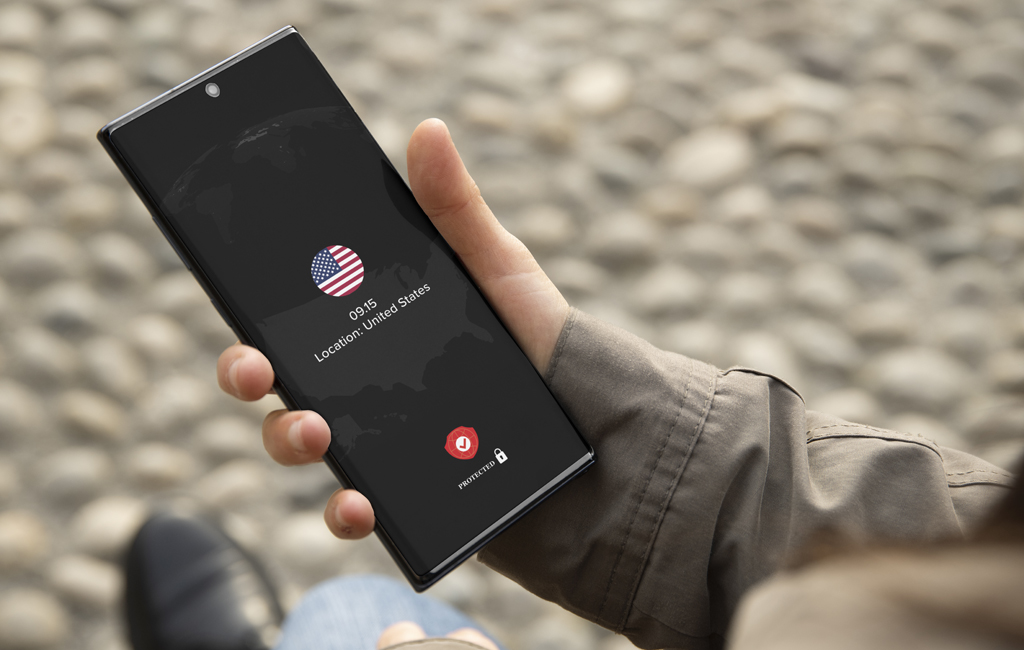

Millions of people in the United States use a VPN to protect themselves from unwanted surveillance and hackers seeking access to their personal data. Virtual private networks (VPNs) provide a vital layer of protection and privacy, enabling access to international content libraries and streaming services. In fact, 42% of Americans use a VPN, making it no longer a niche privacy tool but a mainstream one.
Online privacy in the U.S. is shrinking. The 1998 Digital Millennium Copyright Act still risks torrenting users. ISPs throttle bandwidth during streaming or torrenting. Increased surveillance from government and corporations raises privacy concerns. VPNs help by masking IPs and encrypting traffic, making monitoring harder.
VPNs unlock global content by bypassing geo-restrictions and accessing international sites. They also protect users’ data on public Wi-Fi, like at cafes or airports, from hackers.
In this guide, we’ve reviewed and curated a list of top VPNs that balance performance, privacy and ease of use, tailored to the unique challenges and needs of Americans. Our list of top VPNs for U.S.-based users in 2026 evaluates providers against several criteria, including a robust server network both stateside and abroad, reliable access to major streaming platforms such as Netflix, Hulu and HBO Max, fast connection speeds, strong privacy policies, jurisdiction in privacy-friendly countries, and advanced security features such as ad-blocking and split tunneling.
Best VPNs at a glance
| Name | Price (12 months) | Encryption | Server Locations |
| NordVPN | $4.59/mo (1-yr) | AES-256 with ChaCha20 options | 8,000+ servers in 120+ countries |
| Surfshark | $3.19/mo (1-yr) or $1.99/mo (27-mo) | AES-256-GCM | 3,200+ servers in 100 countries |
| ExpressVPN | $4.99/mo (1-yr) | AES-256 with Lightway protocol | 3,000 servers in 105 countries |
| Proton VPN | $4.99/mo (1-yr) | AES-256 and ChaCha20 | 20,000+ servers in 140+ countries |
| CyberGhost | $6.99/mo (6-mo) or $1.75/mo (2-yr) | AES-256 | 11,000+ servers in 100 countries |
The best VPNs for the U.S.
The following list presents the five best VPNs for U.S. users, along with the features that distinguish each.
Best overall VPN: NordVPN
Pros and cons
- Pros: Fast and secure; excellent for streaming and public Wi-Fi.
- Cons: Price hikes when renewing, limited split tunneling on Android.
NordVPN offers lightning-fast connection speeds, an intuitive, easy-to-use interface, and best-in-class privacy protection. It features advanced encryption protocols, a no-logs policy and seamless streaming, making it an ideal choice for browsing on the go. Its user-friendly design and reliable performance set it apart from other VPN providers.
NordVPN stands out as the best overall VPN for U.S. users, offering lightning-fast speeds, a sleek, intuitive interface and robust privacy protections. With advanced encryption, a no-logs policy and seamless streaming, it’s ideal for secure browsing on the go. Its user-friendly design and reliable performance make it a top choice for mobile security.
- App experience: The app is intuitive, featuring a Quick Connect button, an interactive server map and seamless integration across multiple devices.
- Streaming performance: Netflix, Disney+, Hulu and Apple TV+ with minimal buffering and 4K playback.
- Privacy and security features: Has AES-256 encryption, Threat Protection, a kill switch, Double VPN, NordWhisper stealth protocol and Dark Web Monitor.
- Speed and performance: Excellent speeds on both Wi-Fi and mobile data, with only 3% speed loss due to its proprietary NordLynx protocol.
- Pricing and plans: Starts at $4.59/month for a 12-month Basic plan, or $3.39/month on the 2-year Basic plan. Renewal rates are higher.
Summary: NordVPN has top-tier privacy protection, fast connection speeds and an easy-to-use mobile app.
Best suited for: Users who value privacy, fast streaming and a comprehensive set of security tools.
Best for streaming: ExpressVPN
Pros and cons
- Pros: Excellent for streaming and travel; fast, stable connections.
- Cons: More expensive than competitors, fewer customization options.
For reliable streaming capabilities, ExpressVPN is a great choice. It reliably works with all major streaming platforms, including Netflix, Disney+ and Hulu. Its vast network of high-speed servers ensures smooth, buffer-free viewing no matter where you are. It also features strong encryption and an intuitive interface, making it ideal for accessing geo-restricted content while maintaining privacy.
- App experience: Sleek and easy to use, one-tap connection and a user-friendly interface that integrates easily across devices. An excellent choice for beginners.
- Streaming performance: Netflix, Disney+, Hulu and Apple TV+ with optimized servers and buffer-free 4K streaming.
- Privacy and security features: Utilizes AES-256 encryption, features a kill switch, split tunneling and a strict no-logs policy.
- Speed and performance: Fast on both Wi-Fi and mobile data, with low latency thanks to its Lightway protocol.
- Pricing and plans: $4.99/month on a 12-month Basic plan or $3.49/month on a 2-year Basic plan. Advanced and Pro tiers add password manager, identity monitoring, eSIM data, dedicated IP and other extras.
Summary: ExpressVPN combines smooth streaming with strong privacy backed by its proprietary Lightway protocol.
Best suited for: Travelers and streamers seeking a high-performance VPN.
Best value: Surfshark
Pros and cons
- Pros: Unlimited devices, great value
- Cons: No free plan, occasional server congestion
If you are looking for an affordable plan with unlimited devices, Surfshark is the right choice. Its sleek app delivers reliable performance and strong security, making it a good choice for families or travelers. Surfshark offers fast connection speeds, ad-blocking and a no-logs policy, seamlessly combining budget-friendly pricing with premium privacy protection across all platforms.
- App experience: The app is clean and intuitive, and has a one-tap connection and biometric login. Setup is easy, as is switching servers.
- Streaming performance: Netflix, Disney+, Hulu and Apple TV+. Streaming is smooth, with almost no lag.
- Privacy and security features: Utilizes AES-256-GCM encryption, has a kill switch, ad/tracker blocker and supports MultiHop and GPS spoofing.
- Speed and performance: Strong, consistent speeds on both Wi-Fi and mobile data, with WireGuard protocol for fast streaming.
- Pricing and plans: Starts at $3.19/month for a 12-month plan, or $1.99/month on the 27-month promo (24 months plus 3 free).
Summary: Surfshark is a reliable, budget-friendly USA VPN service that supports an unlimited number of devices and delivers strong performance.
Best suited for: Budget-conscious users and families seeking secure access across multiple devices.
Best for privacy: Proton VPN
Pros and cons
- Pros: Unlimited free data, strong privacy protections
- Cons: The free plan doesn’t include streaming and limits you to one device
Proton places a strong emphasis on privacy and security. It operates under a strict no-logs policy, meaning it does not store user activity, connection timestamps or IP addresses. This policy has been independently audited and verified by Securitum for four consecutive years, most recently in August 2025. All of its software is open-source, allowing third parties to inspect its code and verify that it performs as advertised.
- App experience: Clean, intuitive interface with a one-tap connection, integrates easily across devices.
- Streaming performance: The free version doesn’t support streaming, but paid plans work with Netflix, Disney+, Hulu and Apple TV+.
- Privacy and security features: Utilizes AES-256 encryption, features a kill switch, an ad blocker and a robust no-logs policy.
- Speed and performance: The free plan can be slow during peak hours, but paid plans offer fast and reliable connections.
- Pricing and plans: The free plan includes unlimited data, no ads and access to servers in 10 countries. Paid plans start at $4.99/month for VPN Plus annually, or $2.99/month on the 2-year plan.
Summary: Proton VPN offers a free plan with unlimited data, backed by strong encryption and Swiss privacy laws.
Best suited for: Users who value privacy and those seeking a trustworthy, no-cost VPN.
Best for simplicity: CyberGhost
Pros and cons
- Pros: Optimized servers for streaming and gaming; simple, intuitive interface
- Cons: Fewer advanced options than competitors, some speed drops on distant servers
If you’re looking for a VPN app that is simple and has a clean, easy-to-use interface, CyberGhost is a great choice. CyberGhost’s global servers make streaming and browsing effortless, even for novice users. It also features strong privacy protections and reliable performance, making it ideal for those who want top-notch security without complexity.
- App experience: The app is straightforward to use, with a one-tap connection and biometric login.
- Streaming performance: Netflix, Disney+, Hulu and Apple TV+, with minimal buffering.
- Privacy and security features: Uses AES-256 encryption, with a kill switch, ad/tracker blocker and a strict no-logs policy based in Romania.
- Speed and performance: Solid speeds on both Wi-Fi and mobile data, with more than 11,000 servers to reduce congestion during peak hours.
- Pricing and plans: Starts at $1.75/month for a 2-year plan (26 months including 2 free). The 6-month plan is $6.99/month and the monthly plan is $12.99. Generous 45-day money-back guarantee on long-term plans.
Summary: CyberGhost is an excellent app for beginners with clear server labels for streaming, gaming and torrenting.
Best suited for: Streamers and anyone who wants a plug-and-play VPN.
Why people in the U.S. need to use a VPN
People in the U.S. face vulnerabilities that a VPN can help mitigate. Public Wi-Fi networks, like those found in coffee shops, airports and hotels, are security nightmares. A VPN encrypts all the data sent to and from users’ phones, shielding them from hackers who might be trying to steal it.
Streaming is another reason to use a VPN. VPNs enable users to bypass geo-restrictions and access all content on streaming services like Netflix, Disney+ and HBO Max. If users are traveling to foreign countries or live in one that restricts content, VPNs can unlock these platforms.
Likewise, for gamers, a VPN can help reduce lag by connecting to servers in other regions, resulting in smoother gameplay. For torrenting and peer-to-peer file sharing, a VPN can safeguard users’ identities and activity, making file sharing safer and more secure.
VPNs also mask users’ IP addresses, which means that internet service providers can’t track their browsing or sell their data to advertisers. A VPN also adds a layer of protection against government surveillance by both encrypting internet traffic and routing it through secure servers, often located in different countries.
VPNs are no longer a luxury for people in the United States. They are essential for anyone who wants to secure their data, stream content freely and browse the internet without worrying about being tracked.
Frequently asked questions
Is it legal to use a VPN in the United States?
Yes, it is legal to use a VPN in America. However, in some countries, VPN use is restricted or banned, so be sure to check local laws when traveling. Also keep in mind that using a VPN to hide illegal activity, such as torrenting copyrighted material, remains unlawful under the Digital Millennium Copyright Act.
Which VPN has the most servers in the U.S.?
CyberGhost leads the pack with over 1,400 servers in the U.S. NordVPN offers more than 1,970 U.S. servers and ExpressVPN provides access to servers in over 20 U.S. cities (but does not disclose its server count).
Will a VPN stop ISP throttling?
In most cases, yes. VPNs encrypt traffic, making it difficult for internet service providers to detect and throttle specific activities, such as streaming. But if an internet service provider throttles traffic in response to data caps, a VPN can’t stop that.
Can I watch U.S. Netflix abroad with a VPN?
Yes. Most major VPNs unblock U.S. Netflix if users are outside of the United States. Just connect to a U.S.-based server and log in to Netflix. Performance may vary depending on server load.
Is a free VPN safe to use in the U.S.?
Most free VPNs come with trade-offs: limited bandwidth, slower speeds, ads and questionable privacy practices. Proton VPN’s free tier is a rare exception as it is safe, doesn’t log user data and offers decent speeds. It’s usually not great for streaming, however.
To get the most out of a VPN, we recommend opting for a paid version.
Do VPNs protect me from government surveillance?
VPNs encrypt all internet traffic, which makes it harder for third parties, including government agencies, to monitor activity. However, no VPN can guarantee complete anonymity, especially if users are logged into personal accounts or using identifiable services.
Can I use a VPN on multiple devices?
Yes. Most paid VPNs offer multi-device accounts. Surfshark allows unlimited connections, NordVPN supports up to 10 and ExpressVPN supports 10 on Basic (12 on Advanced, 14 on Pro). Users can also install a VPN on their router to protect all the devices connected to their network.
Will a VPN slow down my internet speed?
Users may notice some slowdown when connected to a VPN, as data is routed through remote servers. However, some VPNs, such as ExpressVPN, minimize speed loss to less than 10 percent, making them excellent choices for streaming and gaming.
Can I use a VPN for torrenting in the U.S.?
Yes, but users should choose a VPN that supports peer-to-peer traffic and has a firm no-logs policy. NordVPN, Surfshark and Proton VPN have dedicated servers for torrenting. Keep in mind that sharing copyrighted material violates U.S. law.
What’s the difference between a US VPN server and a VPN with a US IP address?
A U.S. VPN server is physically located in the United States. A VPN with an American IP address may be a virtual server hosted outside the United States, but it still assigns users a U.S.-based IP address. Both allow access to U.S. content, but physical servers may offer better speeds.
Free vs. paid VPNs
If you are considering a free VPN, be sure to examine the VPN’s performance, reliability and potential drawbacks. Free VPNs often come with limitations, including data caps, fewer server locations and slower speeds. Some even have intrusive ads and may sell user data.
But if you are looking for a free VPN, Proton VPN stands out for offering unlimited data, strong encryption, a no-logs policy and an ad-free experience. Proton is a reputable, privacy-focused company.
However, paid VPNs offer a significantly better user experience, with faster speeds on both Wi-Fi and cellular networks, as well as reliable access to streaming services. They also provide advanced privacy features, including kill switches, ad and tracker blockers and split tunneling. Paid plans also support multiple devices.
While a free VPN may suffice for occasional use, paid VPNs offer a far superior experience. Many heavy users in the United States need a VPN with the speed, security and flexibility, and a paid VPN can offer that.
How to choose the best VPN in the United States
When selecting a VPN in the United States, start first with server coverage. Look for VPNs that offer servers across multiple states, as coast-to-coast coverage means better speeds and more reliable connections, especially if users plan to stream or game. VPNs like NordVPN and CyberGhost have thousands of U.S. VPN servers. If you’re streaming from the East Coast, a New York VPN server can improve performance. Likewise, West Coast users may benefit from a Los Angeles VPN for faster speeds.
Streaming support is also essential. While all major VPNs unblock Netflix, Hulu, Disney+ and HBO Max, ExpressVPN and Surfshark consistently bypass geo-restrictions, delivering smooth streaming playback.
If users plan to torrent, game or make video calls, speed and reliability are crucial. VPNs that utilize modern protocols, such as WireGuard or Lightway, offer faster and more stable performance.
Privacy protection is also essential. Select a VPN that offers a verified no-logs policy, strong encryption and features such as a kill switch and DNS leak protection. Proton VPN and NordVPN have undergone independent audits to confirm their privacy claims.
Finally, look at the price and device coverage. Many VPNs offer multi-device or family plans. Surfshark allows for unlimited simultaneous connections, NordVPN supports up to 10 and ExpressVPN supports 10 to 14 depending on tier. Balancing these features will help users find a VPN that fits their needs and usage habits.
Our recommendation
Among our top contenders, NordVPN stands out as the best overall VPN for U.S. users. It combines fast speeds, advanced security features and an easy-to-use app. Whether users are browsing on public Wi-Fi or streaming movies overseas, NordVPN delivers excellent protection at a reasonable price.
If streaming is the priority, ExpressVPN is recommended. With servers in over 100 countries and a strong reputation for working with popular streaming services like Netflix, Disney+ and HBO Max, it’s ideal for travelers and those seeking to access content that is typically blocked.
If cost is the primary concern, Surfshark is an excellent choice. It combines unlimited devices, strong privacy and an intuitive interface, all at a lower price than its competitors. It’s ideal for families or users with multiple devices.
All of these VPN providers offer 30-day money-back guarantees (45 days for CyberGhost on long-term plans), allowing users to test them and determine which one works best before committing. Whether extra privacy is needed, access to blocked content is desired or users want to protect their data when traveling overseas, these are top choices for anyone seeking a VPN for America.
Our testing methodology
We tested the major VPN apps using consistent speed benchmarks and real-world scenarios to ensure our recommendations reflect actual performance. We measured download and upload speeds, as well as latency across multiple U.S. server locations and over Wi-Fi, LTE and 5G to simulate home and public usage. We evaluated streaming performance and P2P behavior by running downloads and streaming concurrently to observe throttling and buffering.
Each VPN was installed on iPhone and Android devices, as well as Mac and Windows PC, and on select smart TV platforms, when available. We evaluated app design, ease of use, connection setup, switching servers and support options on each platform for usability by both novice and advanced users.
We also analyzed each VPN’s core claims and security safeguards. We examined no-logs policies, verified independent audits and assessed advanced security features, including leak protection, kill switches and encryption protocols. We also evaluated a company’s jurisdiction and its past transparency reports to identify any potential privacy risks.
Our hands-on, multi-device approach to evaluating which VPN performs best for U.S. users provides users with up-to-date and trustworthy guidance on which VPN is right for them.
A note on copyright and torrenting
It’s completely legal to use a VPN in the United States, however, if users are torrenting copyrighted material without permission in violation of the Digital Millennium Copyright Act, using a VPN won’t exempt them from liability if they are caught. Law enforcement can still compel companies to hand over user activity if they believe a crime has been committed. Bottom line: VPNs protect privacy, but not legal risk, so use them responsibly.
Salon has affiliate partnerships, which means we may get a share of the revenue from purchases made through links on this article.
