
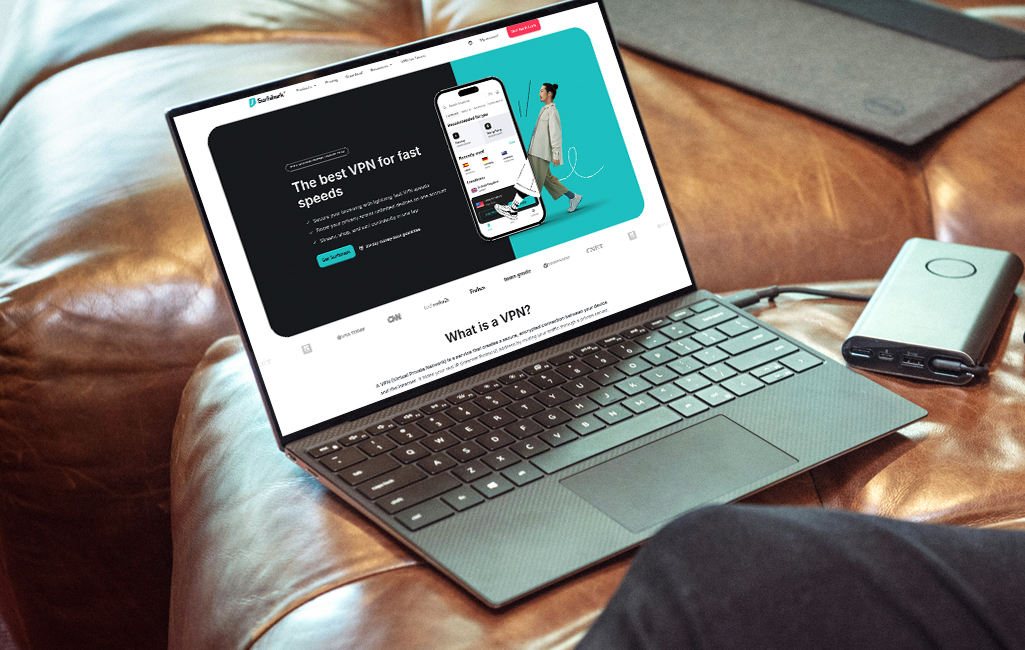

If you’re searching for a VPN that won’t break the bank but still delivers the goods, Surfshark deserves your attention. Founded in 2018, this relatively young player has quickly made waves in the crowded VPN market by offering unlimited simultaneous connections, strong privacy features and competitive pricing.
It’s particularly appealing to households or users with multiple devices who want comprehensive protection without juggling multiple subscriptions. While it is newer to the market, Surfshark has built a solid reputation for delivering reliable performance and genuinely useful features that go beyond basic VPN functionality.
Company background
A team based in the British Virgin Islands founded Surfshark in 2018. The company is now officially registered in the Netherlands. In 2022, Surfshark merged with Nord Security, the parent company behind NordVPN, creating a larger entity while maintaining separate operations and product identities. This merger raised some eyebrows in the privacy community, but both services continue to operate independently with their own infrastructure.
From a privacy jurisdiction standpoint, the Netherlands offers a mixed bag. While it’s part of the EU and subject to GDPR regulations (which is generally positive for user rights), it’s also within the Nine Eyes intelligence-sharing alliance. However, Surfshark maintains that it operates under a strict no-logs policy, meaning there’s theoretically nothing logged at all from your session while connected. The British Virgin Islands registration for the original founding provides an additional layer of separation from intrusive data retention laws.
Key features and technology
Surfshark is technically well-equipped. The service uses AES-256-GCM encryption, which is industry standard and essentially uncrackable with current technology. For protocols, you get a solid selection: WireGuard (the fastest and most modern option), OpenVPN (the tried-and-true standard) and IKEv2 for mobile devices.
The core security features are all present and accounted for. The kill switch automatically cuts your internet connection if the VPN drops, preventing any accidental data leaks. Split tunneling (called Bypasser in Surfshark’s interface) lets you route some apps through the VPN while others use your regular connection—handy if you need to access local services while staying protected. The MultiHop feature routes your connection through two VPN servers instead of one, adding an extra layer of obfuscation for maximum privacy.
For those in restrictive regions, Surfshark includes Camouflage Mode (obfuscation) that disguises VPN traffic as regular HTTPS traffic, making it harder for ISPs or governments to detect and block. DNS leak protection is built-in, and there’s also CleanWeb, Surfshark’s ad and malware blocker that works system-wide.
Where Surfshark really stands out is in its value-added features. You get Surfshark Search, a private search engine with no ads or tracking, Surfshark Alert for data breach monitoring, and Alternative ID for generating fake personal details for online registrations. For an additional fee, you can add Surfshark Antivirus and Alternative Number for disposable phone numbers. Dedicated IP addresses are also available as an add-on if you need a consistent IP for accessing work networks or avoiding CAPTCHAs.
Infrastructure and server network
Surfshark operates over 3,200 servers across 100 countries, which is impressive coverage for a service at this price point. The company has transitioned to 100% RAM-only servers (they call them “diskless servers”), which means no data persists on the hardware once it’s powered down. This is generally regarded as a significant privacy upgrade that only a handful of premium VPNs offer.
The network includes a mix of physical and virtual server locations. While Surfshark hasn’t been entirely transparent about which specific locations are virtual, they’ve acknowledged using virtual servers in countries where physical infrastructure isn’t feasible or safe to operate. Most servers support P2P traffic, and there are no bandwidth limits, making Surfshark a solid choice for torrenting.
Apps and usability
Surfshark covers all the major platforms: Windows, macOS, Linux, iOS, Android, Fire TV andApple TV. There are also browser extensions for Chrome, Firefox andEdge. You can even set it up on routers, gaming consoles and smart TVs, though that requires a bit more technical know-how.
The apps are genuinely user-friendly with a clean, modern interface that’s consistent across platforms. The setup process is refreshingly simple—download, log in and hit the Quick Connect button. That’s it. For tech-savvy users, there’s a wealth of advanced settings tucked away in the menu, including protocol selection, kill switch customization and split tunneling rules.
One nice touch is the ability to create shortcuts to specific locations or features right on your home screen. The mobile apps include a GPS spoofing feature (Android only) that changes your device’s GPS location to match your VPN server, which is useful for location-based apps.
Performance and speed
Here’s where Surfshark truly stands out. We conducted speed tests across multiple times of day and different server locations to get a realistic picture of Surfshark’s performance.
The results were genuinely impressive. Local and nearby servers showed minimal speed degradation—we’re talking 12-19% speed loss compared to my unprotected connection, which is barely noticeable in real-world use. You’ll have no trouble streaming 4K content, downloading large files or video conferencing on these connections.
Long-distance servers naturally showed more impact, with European and Australian connections dropping speeds by 22-27%. While this is more noticeable, particularly for gaming where latency matters, the speeds remain perfectly functional for streaming and general browsing.
The consistency across different times of day was impressive, revealing no significant congestion during peak evening hours. One pro tip: stick with the WireGuard protocol, which consistently outperformed OpenVPN by 15-20% in my testing.
Streaming and unblocking
Surfshark is a streaming champion. It reliably unblocks Netflix (US, UK, Canada, Japan, and more), BBC iPlayer, Disney+, Prime Video, Hulu, HBO Max and numerous other platforms. I tested it with Netflix libraries across different regions, and it worked flawlessly without having to jump between servers.
Unlike some VPNs that require specialized streaming servers, Surfshark’s general server network handles unblocking duties well. The Smart DNS feature lets you set up streaming on devices that don’t support VPN apps directly, like some smart TVs and gaming consoles, though this doesn’t encrypt your traffic.
The speeds I recorded are more than adequate for 4K streaming. Even on distant servers, buffering wasn’t an issue and video quality remained consistent throughout my testing.
Privacy and security
Surfshark operates under a strict no-logs policy, verified by independent audits from Cure53 (2018, 2021) and Deloitte (2022, with a follow-up audit in 2025). These audits examined the server infrastructure and privacy claims, confirming that Surfshark doesn’t collect user activity data or connection logs. They only keep minimal account information (email address and billing data) necessary for service operation.
The encryption standards are top-notch with AES-256-GCM, ChaCha20 (for WireGuard), and Perfect Forward Secrecy ensuring that even if one session key is compromised, past and future sessions remain secure.
Surfshark publishes transparency reports detailing government data requests (spoiler: they can’t provide what they don’t have). The company also maintains a warrant canary, which is a regularly updated statement confirming they haven’t received secret government subpoenas or warrants that would compromise user data.
On the downside, the CleanWeb ad blocker, while useful, isn’t as robust as dedicated security solutions. It catches basic malware and phishing sites but shouldn’t be your only line of defense. Surfshark’s optional antivirus add-on helps fill this gap, but it’s an extra cost.
Customer support
Surfshark offers 24/7 live chat support, which I tested multiple times at different hours. Response times were typically under two minutes, and the agents were knowledgeable and helpful, not just copy-pasting from scripts. They were able to troubleshoot connection issues and explain technical features clearly.
The knowledge base is comprehensive with detailed setup guides, troubleshooting articles, and FAQ sections. Most common issues can be resolved through these resources without contacting support. Email support is also available, though responses apparently take 6-12 hours depending on the complexity of your question.
Pricing and plans
Surfshark’s pricing is where it truly shines, especially for long-term commitments. Here’s the breakdown:
| Plan Duration | Monthly Price | Total Cost | Savings | Money-Back Guarantee |
| 1 Month | $15.45/month | $15.45 | – | 30 days |
| 12 Months | $3.19/month | $38.28 | 79% | 30 days |
| 24 Months | $2.19/month | $52.56 | 86% | 30 days |
Add-ons:
- Surfshark One (Antivirus + Alert + Search): +$1.49/month
- Surfshark One+ (includes Alternative ID): +$2.69/month
- Dedicated IP: $3.75/month
The catch? These are introductory prices. Renewal rates are higher: the 24-month plan jumps to about $5.99/month upon renewal. However, even at renewal rates, Surfshark remains competitive. All plans include unlimited simultaneous connections, which is a phenomenal value if you want to protect multiple devices or share with family.
The 30-day money-back guarantee is genuinely no-questions-asked. I’ve read numerous accounts of users getting refunds without hassle.
Pros and cons
Pros:
- Unlimited simultaneous device connections
- Strong privacy features with independently audited no-logs policy
- Excellent streaming capabilities across platforms
- Very good speeds, especially on local and regional servers
- Clean, user-friendly apps across all platforms
- Aggressive pricing on long-term plans
- RAM-only servers for enhanced security
- Useful extras like CleanWeb, Alert, and Search included
Cons:
- Significant price jump at renewal (introductory pricing only)
- Based in Netherlands (Nine Eyes jurisdiction)
- No port forwarding feature
- Some virtual server locations without full transparency
- Australia/distant server speeds show noticeable degradation
- Merged with Nord Security, which may concern privacy purists
Conclusion
Surfshark delivers quality typically found in much higher price tiers. While it may not have the decade-long reputation of some competitors, it delivers where it counts: strong privacy protections, reliable streaming access, respectable speeds and genuinely useful features at a price that’s hard to beat.
The speed test results show that Surfshark maintains excellent performance on local and regional servers, with only moderate degradation on intercontinental connections. The 12% speed loss on local servers is among the best in the industry, making it perfectly suitable for bandwidth-intensive activities.
It’s particularly ideal for families or multi-device users who want comprehensive protection without buying multiple subscriptions. The unlimited connections policy is a game changer that few competitors match. Budget-conscious users looking for their first VPN will find Surfshark approachable and feature-rich without the premium price tag.
However, privacy purists might prefer a VPN with a longer independent track record or one based outside intelligence-sharing jurisdictions. The merger with Nord Security, while not necessarily problematic, does introduce corporate complexity that some users find uncomfortable. If you’re an advanced user who needs port forwarding for specific applications, you’ll need to look elsewhere.
Rating: ⭐⭐⭐⭐½ (4.5/5)
Surfshark earns high marks for value, usability and performance. It’s not perfect, but it’s an excellent choice for most users who want reliable, affordable VPN protection with a generous set of features. The competitive speeds and proven streaming capabilities make it a solid daily driver that won’t slow you down or lock you out of your favorite content.
For the price, especially on the two-year plan, you’re getting premium features at budget-friendly rates. Just mark your calendar for that renewal date and be prepared to either negotiate or shop around when your introductory period ends.
Salon has affiliate partnerships, which means we may get a share of the revenue from purchases made through links on this article.
[CyberGhost VPN-Verified]
