

Having been around since 2009, ExpressVPN is a well-established player in the VPN space that has earned itself an excellent reputation for privacy and security. Based in the British Virgin Islands — outside of the Five Eyes, so no mandatory surreptitious intelligence-sharing — ExpressVPN provides fast speeds, unblocks every streaming site you can throw at it and provides RAM-only servers, which ensures that a user’s data is wiped at every reboot and prevents data leaks.
It also adheres to a strict privacy policy and has passed multiple third-party audits. ExpressVPN provides native apps for most users and is available on a wide array of platforms, including routers. If you encounter any issues while using ExpressVPN, a 24/7 online chat is available to assist you
It supports well-established and open-source VPN protocols with OpenVPN, WireGuard (added recently) and IKEv2, while also offering its homegrown VPN protocol, Lightway, which it has open-sourced. More on that later.
There are many upsides with ExpressVPN, but there are some downsides, too. ExpressVPN supports a limited number of features compared to its competition and charges more than most.
Let’s see if its offering is still compelling in 2026.
Key Features & Technology
 (Salon)
ExpressVPN’s main selling point is privacy and security. The service takes technical measures to harden the security of its server network. And it goes above and beyond (most of) the competition in that regard.
Computers log data by default. User intervention is required to turn that off and ExpressVPN does that, as do many other VPN providers. But on top of that, with ExpressVPN, all of its VPN servers run from volatile memory (RAM) and are booted from read-only disks. This pretty much guarantees that no remnant data (logs) can exist on the system’s hard drives, which is something the more privacy-focused users will appreciate.
Couple the above with ExpressVPN’s pretty stringent privacy policy, you begin to understand that ExpressVPN is more of an “old school” VPN provider, for which security and privacy are a VPN’s raison d’être. I like that.
That being said, it does provide some convenience features. As such, its streaming performance is remarkable. I was able to stream media from every single service I tried while on VPN. It also includes its MediaStreamer feature for devices that don’t support VPN. MediaStreamer is a Smart DNS service that changes your DNS server to stream foreign libraries; it does not encrypt your traffic or change your IP address.
Still, ExpressVPN’s offering can be considered basic. Its focus is more on providing its users with enhanced privacy and security than unblocking streaming sites or enabling video game latency cheats. Again, I like that.
 (Salon)
 (Salon)
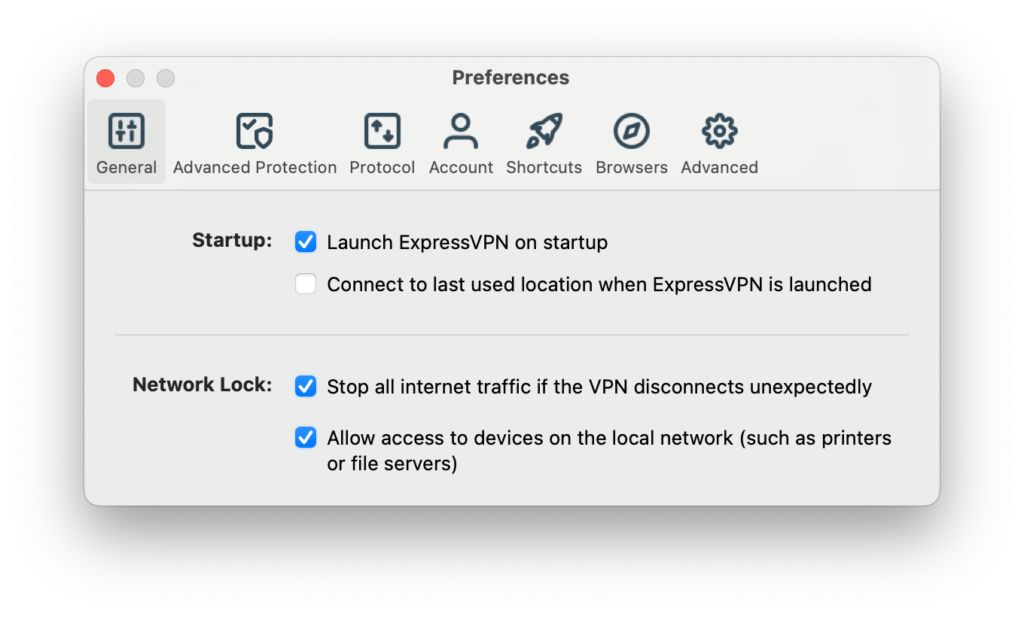
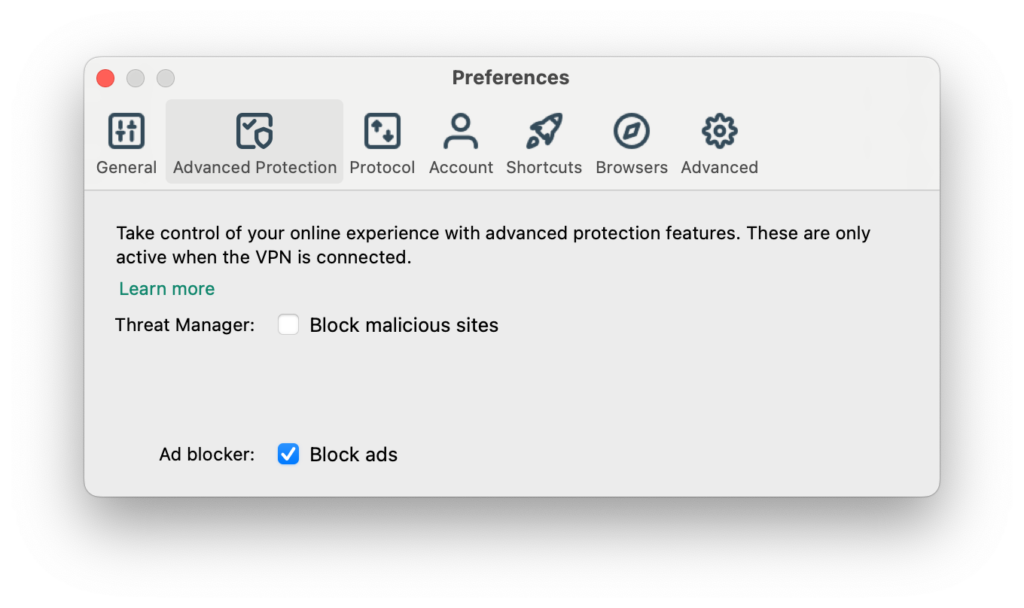
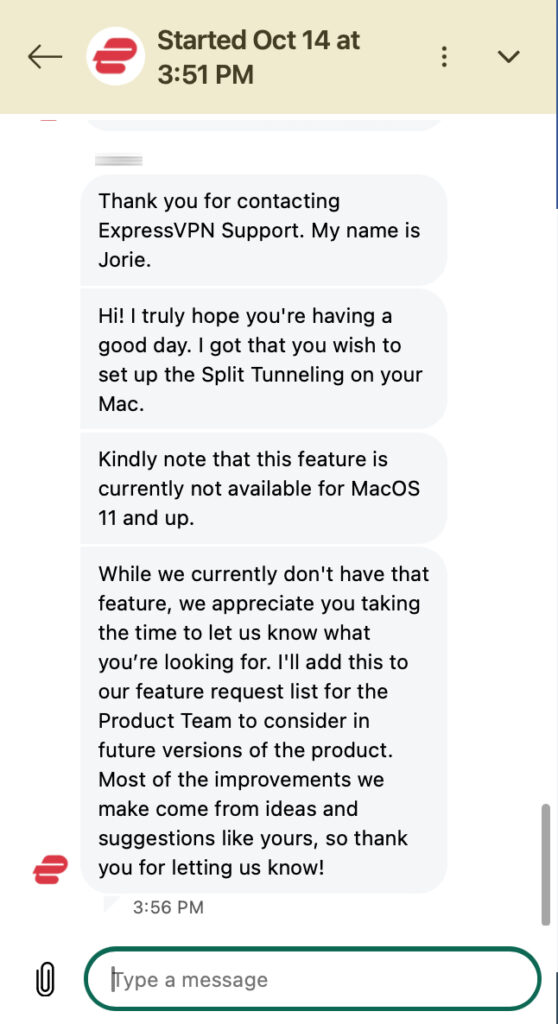
In all of its apps, you’ll find a kill switch, an ad blocker and most of its Desktop apps (Windows and Linux) support app-based split tunneling. ExpressVPN’s documentation claims that the feature is available on macOS, but this is only true for macOS Catalina and below (yeah, it’s been a while). It really should update its knowledge base. I had to contact Support because I couldn’t find the split tunneling feature in the macOS app’s settings.
 (Salon)
Split tunneling is supported in Windows and Linux.
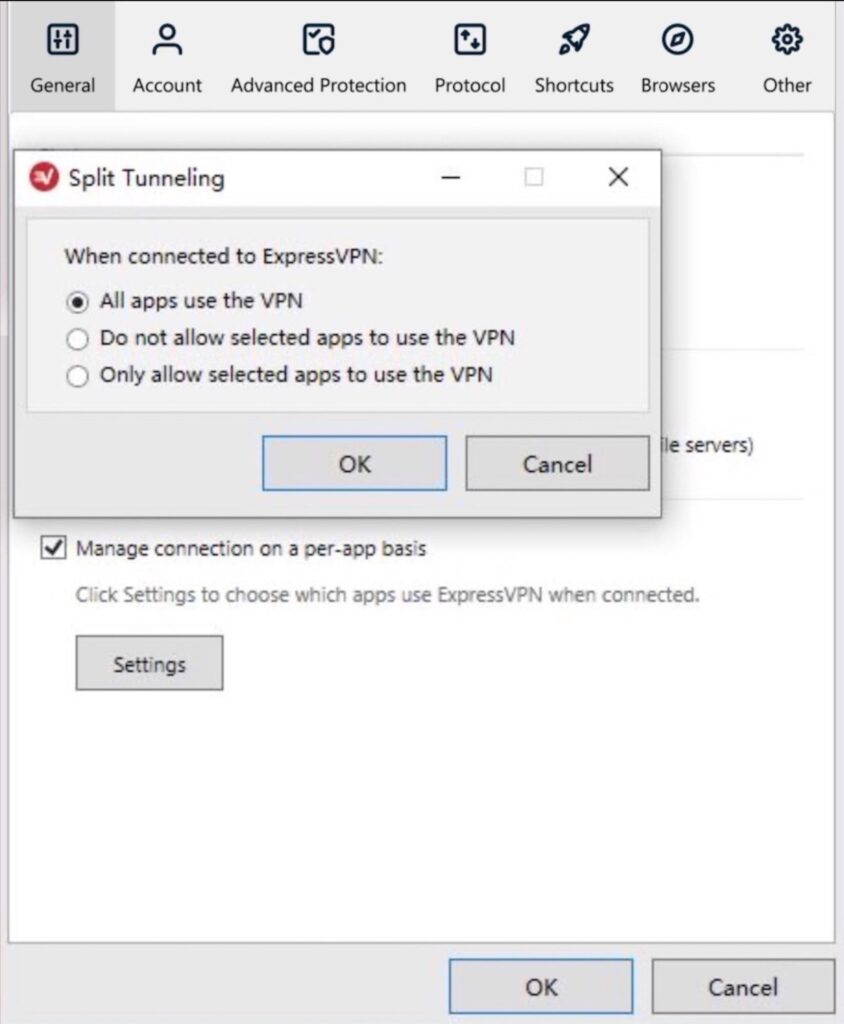
If you’re on Windows or Linux and want to enable the feature, follow the steps below. The steps are for Windows, but they are very similar on Linux.
- Access the app’s Preferences menu by clicking the hamburger menu and selecting Options.
- Under Split tunneling, tick the Manage connection on a per-app basis box, then click Settings. You’re given three options:
- All apps use the VPN
- Do not allow selected apps to use the VPN
- Only allow selected apps to use the VPN
 (Salon)
- Add apps to include/exclude, according to your selection.
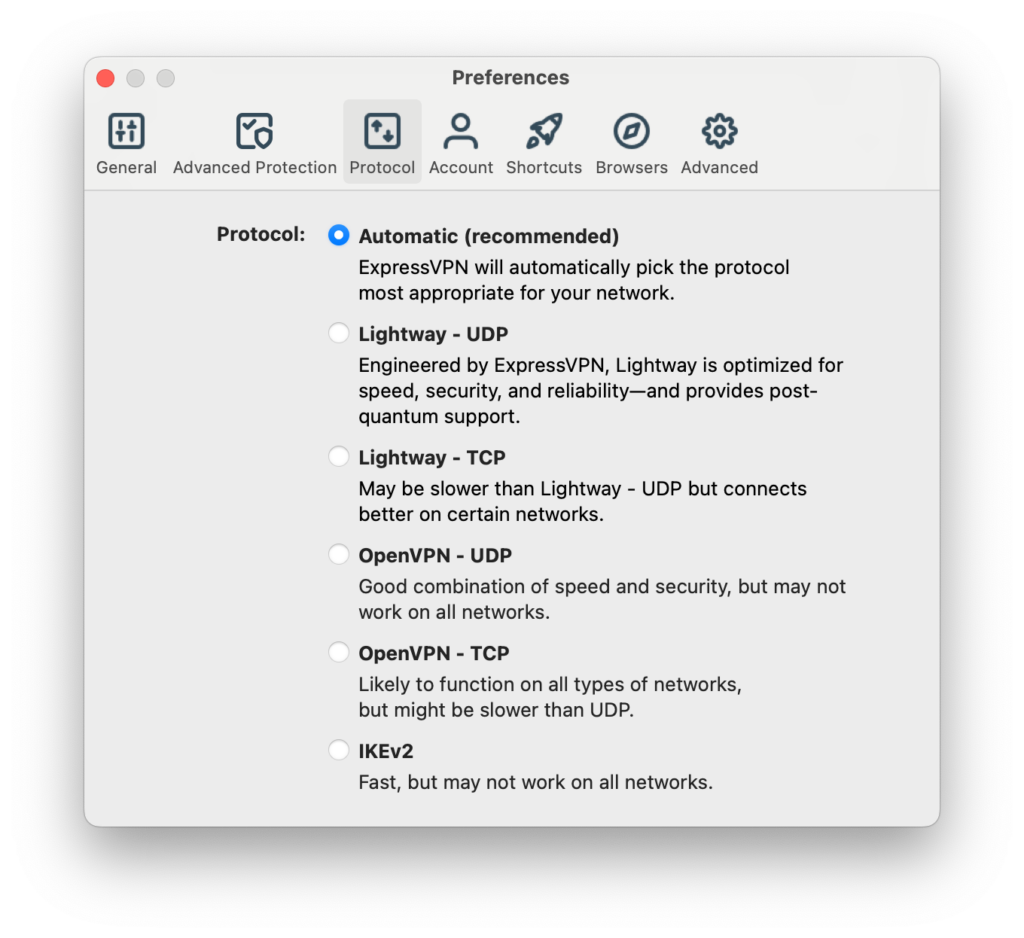
Regarding the VPN protocols ExpressVPN supports, we have:
- OpenVPN
- WireGuard (Windows, iOS and Android)
- IKEv2
- Lightway
 (Salon)
So, we get OpenVPN, WireGuard, IKEv2, and the Lightway protocol on Windows, iOS and Android. But Mac and Linux users don’t get WireGuard just yet — hence the above screenshot.
Lightway is ExpressVPN’s own VPN protocol, which it developed in-house. Now, I don’t usually recommend using homegrown VPN protocols because they tend to be proprietary (closed-source) and security researchers cannot review the code. So you just have to cross your fingers that whoever developed it did things right and the protocol is free of known vulnerabilities.
However, in the case of Lightway, ExpressVPN made the core code open-source and it has been reviewed by the independent cybersecurity firm, Cure53. So, I’m less wary about using it. And it may have some benefits. Lightway may be harder to detect and block than more well-established protocols. That may be what’s behind ExpressVPN’s impressive ability to unblock streaming sites.
A caveat to keep in mind is that ExpressVPN’s ad blocker only works with the Lightway protocol. If you try to change protocol while the ad blocker is enabled, you’ll get this:
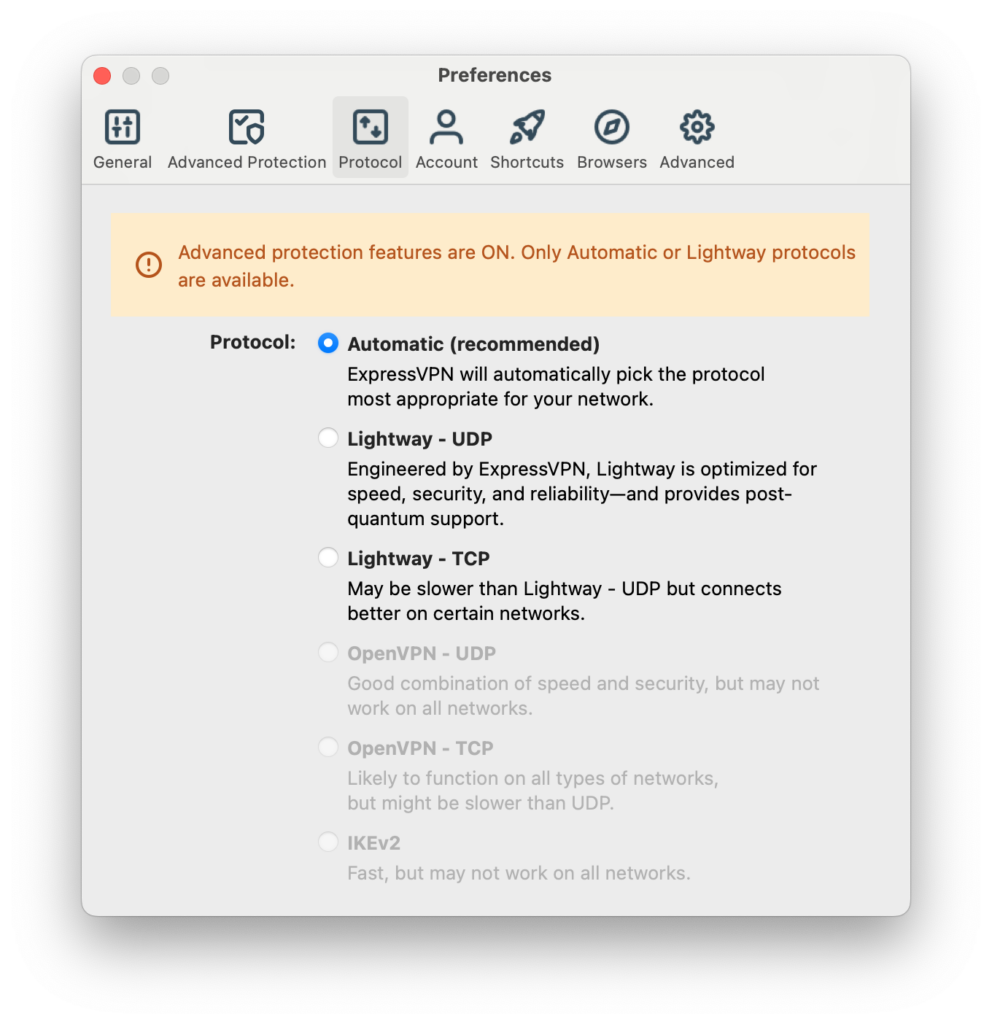 (Salon)In this context, Automatic will choose Lightway.
It’s a bit of a bummer that ad blocking only works with Lightway. I guess that’s ExpressVPN’s way of trying to compel users to switch to its in-house protocol.
The other settings in the app’s preferences are:
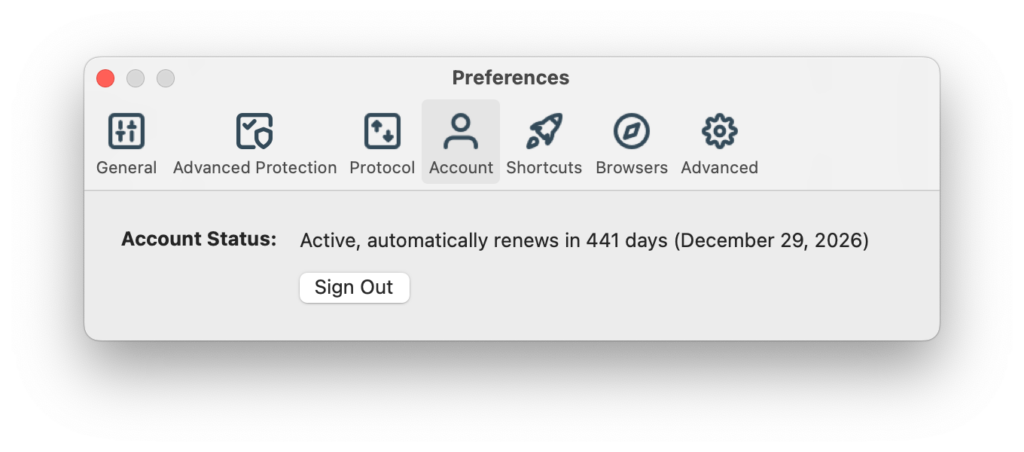
Account
Displays your account status and the number of remaining days on your subscription.
 (Salon)
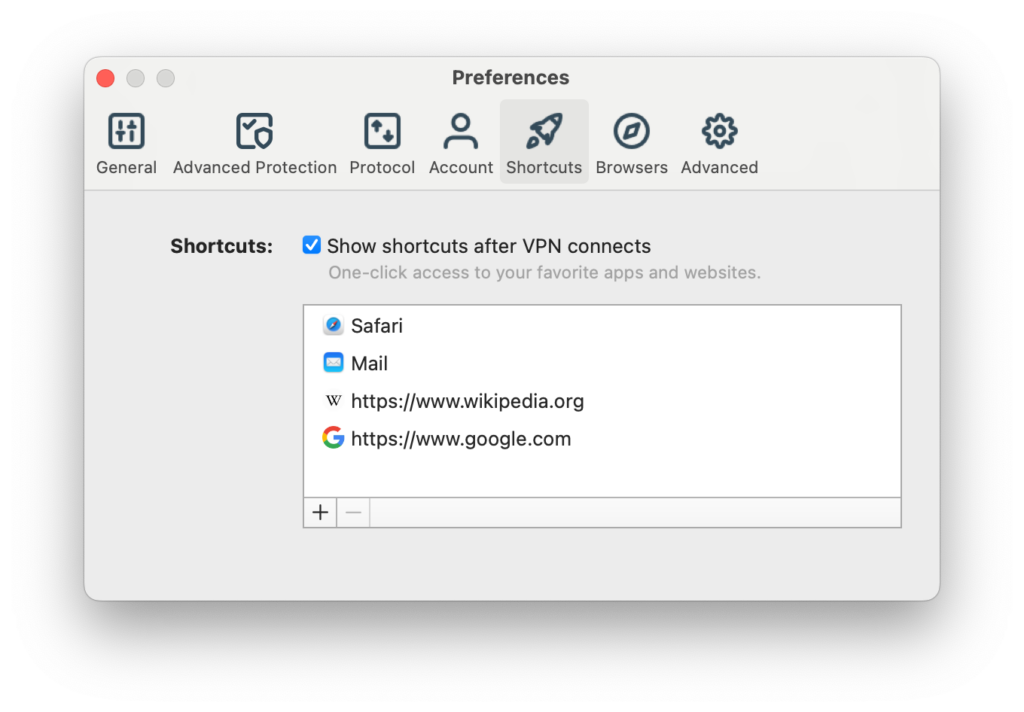
Shortcuts
Displays app/URL shortcuts in the app after a successful connection — a bit of a silly “feature.”
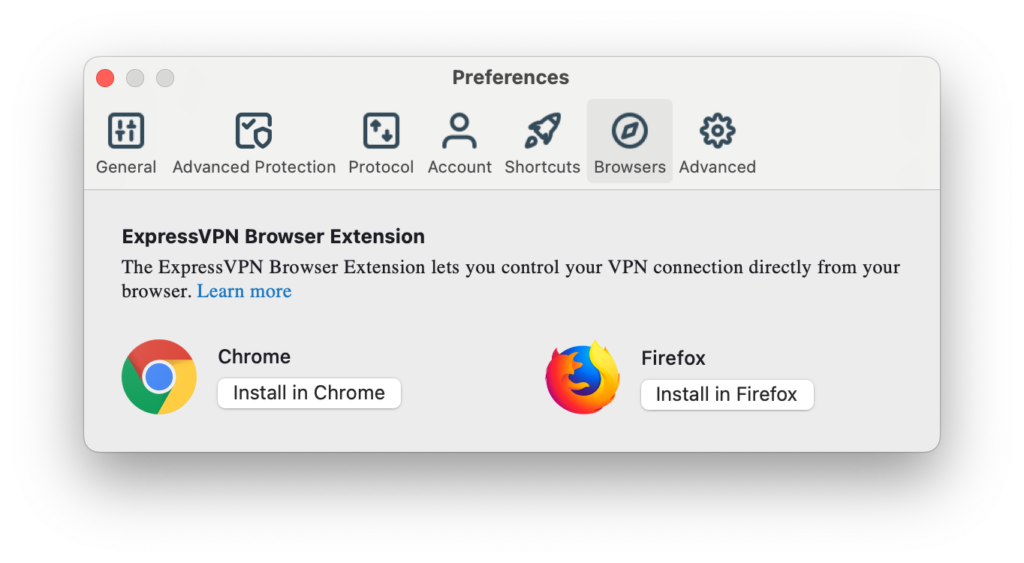
 (Salon)Browsers
Allows you to install ExpressVPN’s browser extension in Chrome or Firefox.
 (Salon)
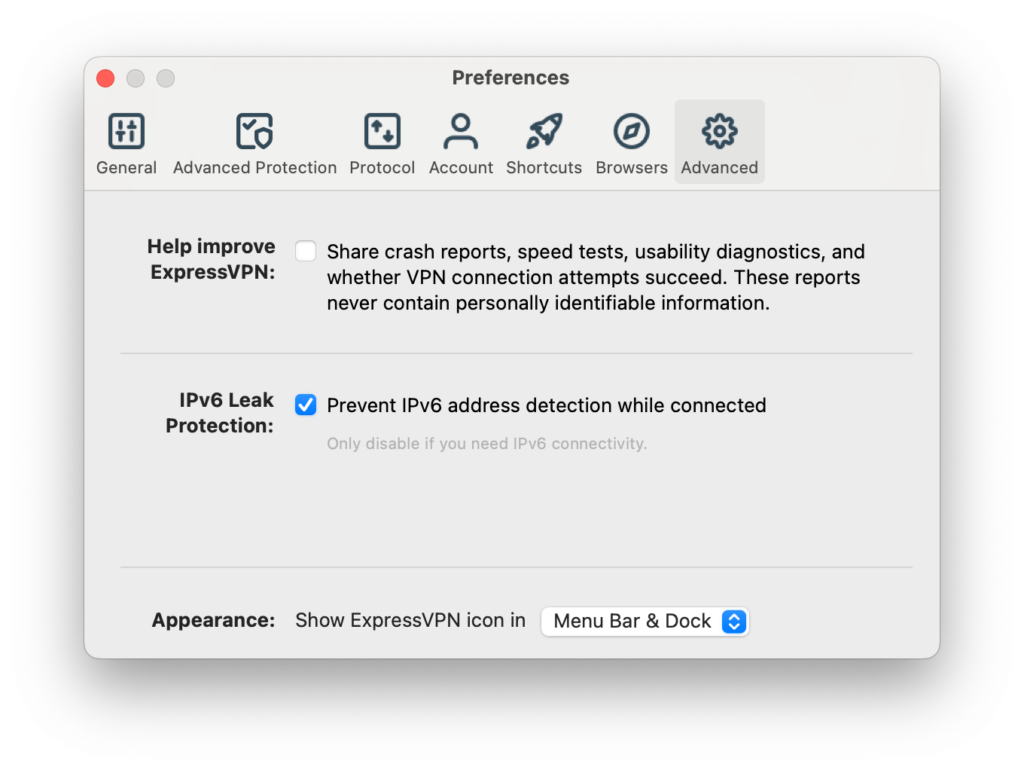
Advanced
You can choose to send app diagnostics to ExpressVPN, block IPv6 and adjust the app’s appearance.
 (Salon)
Infrastructure and Server Network
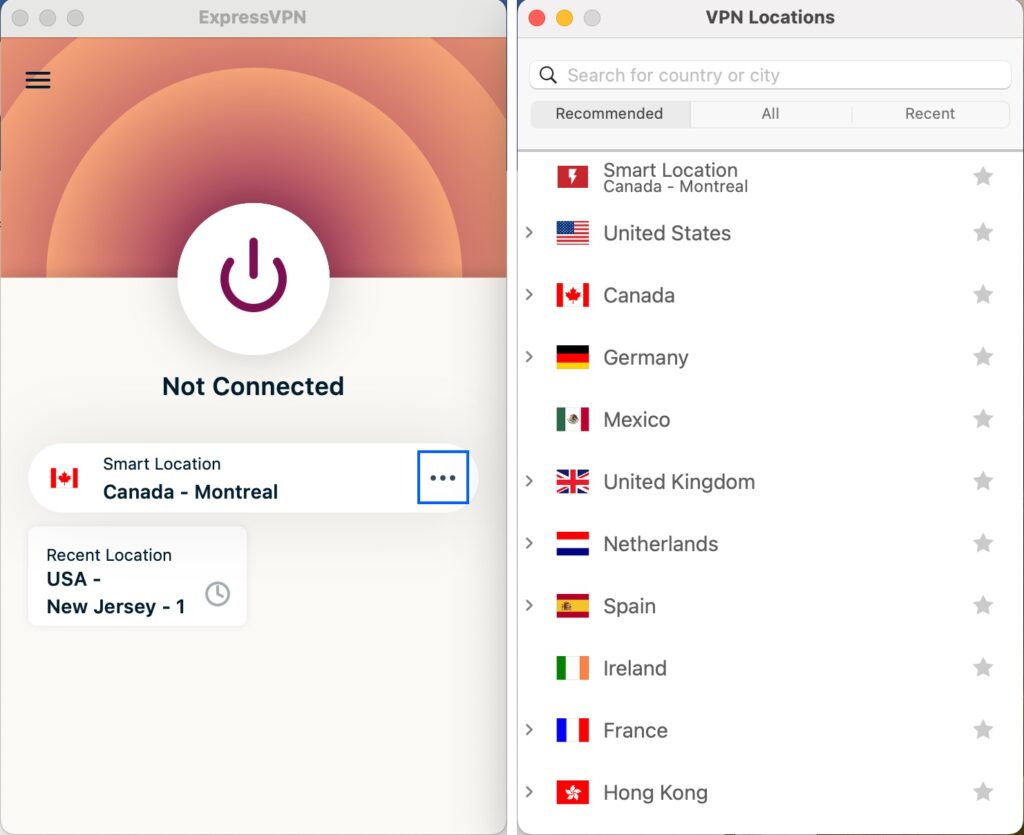
ExpressVPN provides access to over 3000 servers in more than 105 countries. That’s a lot of servers and locations. It offers a mix of physical and virtual servers; the latter uses DNS routing to obtain IP addresses from other countries. There’s no way to distinguish between physical and virtual servers in the app, however.
So you get a massive amount of servers and locations to choose from and torrenting and streaming are supported on all servers, so there are no dedicated servers to choose from based on your activities. This won’t matter much, given how good ExpressVPN’s streaming performance was. Torrenting was also fast and smooth over ExpressVPN.
 (Salon)
Also, all of ExpressVPN’s servers implement obfuscation — that is, they have technical measures in place to disguise your VPN traffic as regular HTTPS traffic, making it much harder to detect and block.
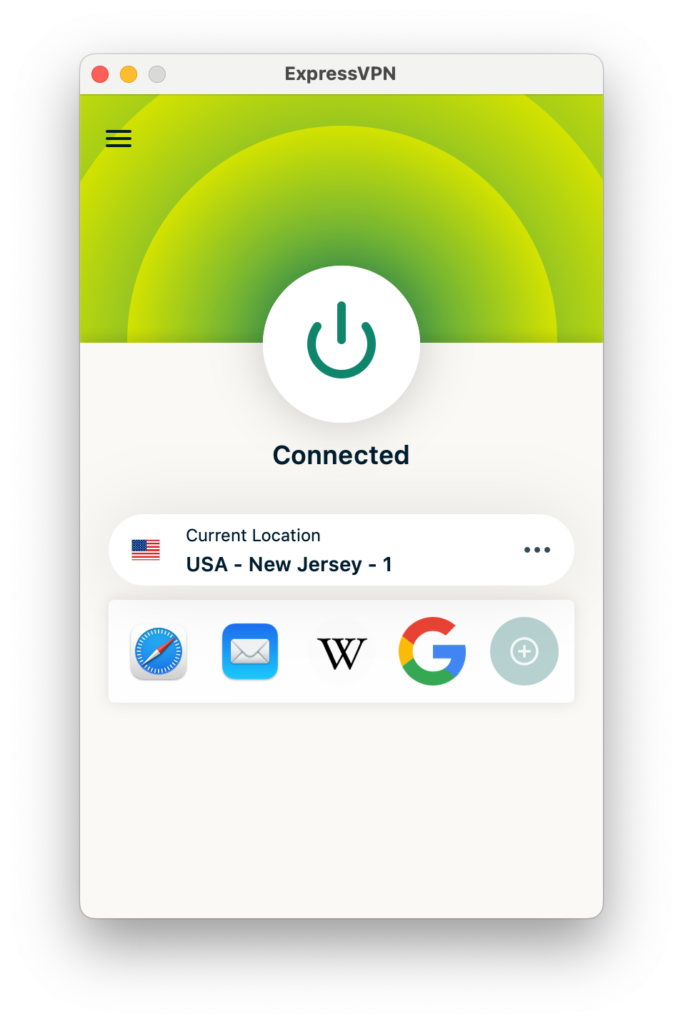
To change servers in the app, simply click the three dots […] next to your current server to display the server list. Then it’s just a matter of scrolling to your preferred location.
Apps and Usability
 (Salon)
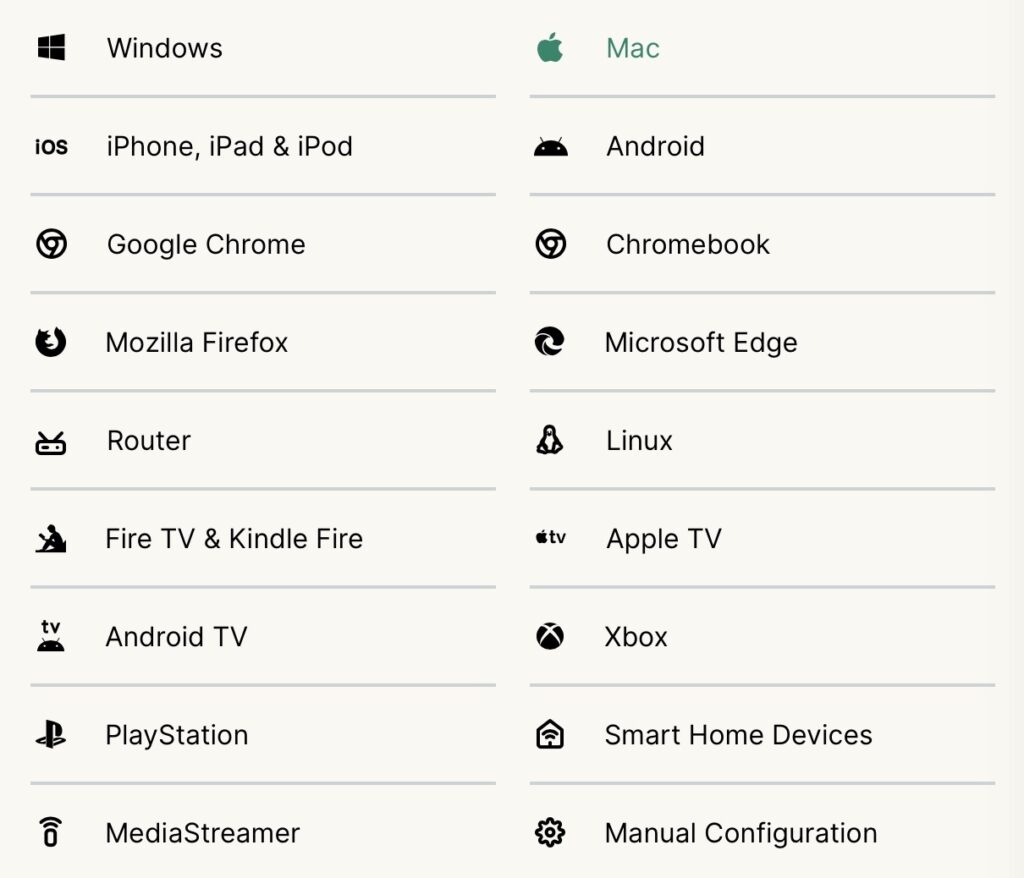
From the screenshot above, you can probably tell that ExpressVPN supports a good number of platforms.
You get the usual suspects:
- Windows
- macOS
- Android
- iOS
But you also get native apps for Linux, Apple TV, Android TV, Fire TV and Kindle Fire.
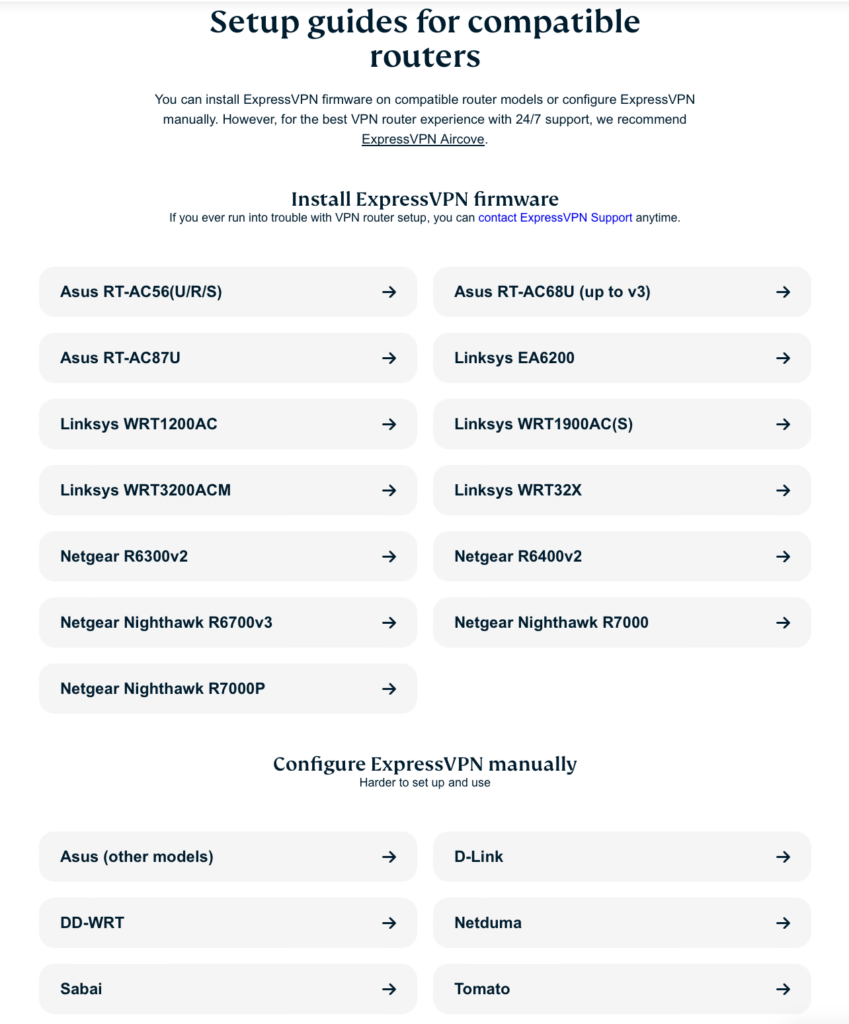
On top of that, ExpressVPN also supports routers. To configure an ExpressVPN connection on your router, you have three options:
 (Salon)
- Install the ExpressVPN firmware on your supported router (ExpressVPN supports several off-the-shelf routers). This is custom firmware provided by ExpressVPN that modifies your router’s OS to include an ExpressVPN connection.
- Manually configure your existing (supported) router to set up an ExpressVPN connection.
- Purchase a pre-configured Aircove router with an ExpressVPN configuration out of the box.
 (Salon)
If you choose to go the Aircove route, you’ll be purchasing a brand new router that is preconfigured with an ExpressVPN connection. This, of course, is the easiest (and priciest) way to have your ExpressVPN connection on your router.
As mentioned earlier in the review, ExpressVPN also offers browser extensions for Chrome and Firefox. These can be useful, but it’s important to remember that, contrary to the VPN app, which encrypts your entire device’s connection, the browser extension only protects your browser’s traffic. All other apps on your device will be transmitting in the clear.
For devices that don’t support VPN connections, like gaming consoles, ExpressVPN also provides a smart DNS feature, called MediaStreamer. With MediaStreamer, you change your DNS servers to ExpressVPN’s MediaStreamer DNS servers and you can unlock streaming libraries from other regions. But MediaStreamer doesn’t encrypt your traffic or change your IP address — it’s just a DNS service.
Other options for devices without VPN support are connecting them to a VPN router or sharing your computer’s VPN connection with your console. ExpressVPN provides instructions on how to achieve this.
Performance and Speed
I was pleased with the results I got testing ExpressVPN for speed. Still, it’s important to keep in mind that any VPN will inevitably slow your connection to some degree — there’s no way around that. The encryption and decryption that happens when connected to a VPN has a cost and the currency is speed. But, a good VPN provider will manage to keep that slowdown to a minimum — and that’s precisely what ExpressVPN has done.
Let’s look at some numbers.
My average download speed without the VPN was 148.64 Mbps.
The global average VPN download speed, across all locations and times tested, was 108.92 Mbps.
Drilling down a little, here’s what we get per tested region.
- Local VPN server (Montreal)
- Average of speed tests (download): 120.5 Mbps
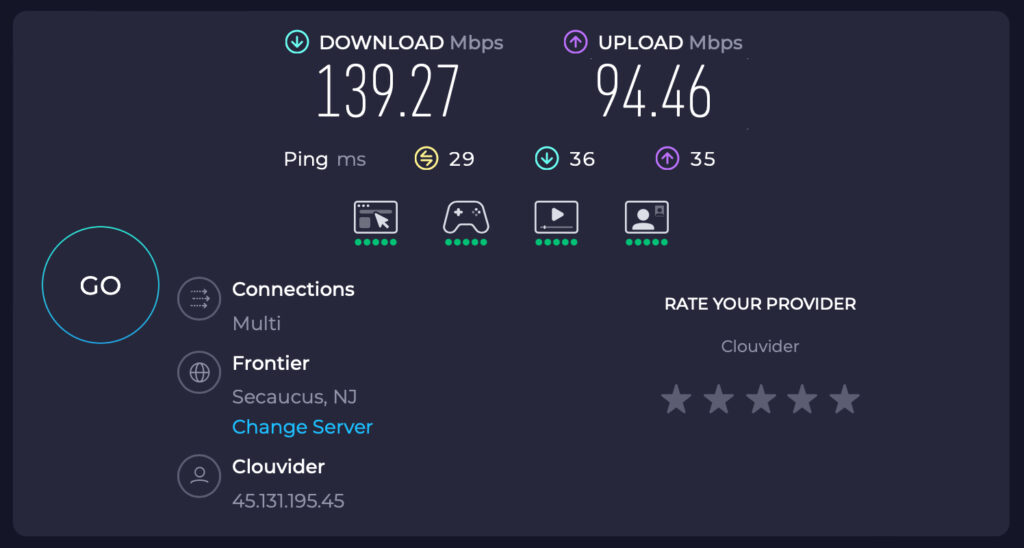
- Nearest Country (USA, New Jersey)
- Average of speed tests (download): 101.88 Mbps
 (Salon)
- Europe (UK)
- Average of speed tests (download): 107.53 Mbps
- Oceana (Australia)
- Average of speed tests (download): 105.79 Mbps
With any VPN speed test, it’s worth keeping in mind that it only represents a snapshot in time. VPN speeds depend on multiple factors — some of which are out of the VPN provider’s hands, such as your local network conditions. You can test a VPN’s speed all day long and you’ll often see more peaks and valleys than you probably thought.
Network speeds can be quite volatile. Still, the speed hit here is relatively small — good stuff.
Streaming and Unblocking
 (Salon)
ExpressVPN’s streaming performance was phenomenal. No matter which server I was on or which streaming platform I was attempting to access, ExpressVPN blew the doors wide open. It never even failed once. And did so with no buffering issues or freeze-ups.
No need to excessively verbalize here. It just worked — brilliantly and with everything.
Privacy and Security
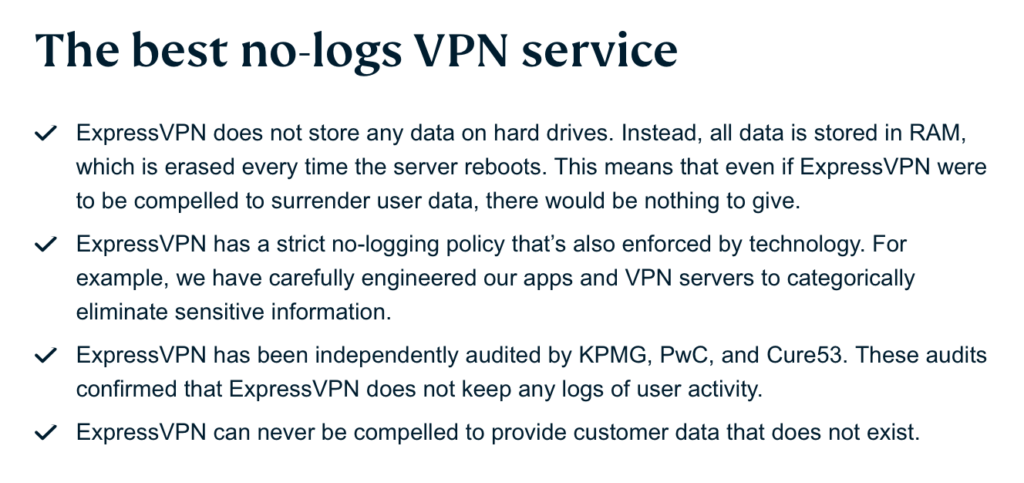
Given ExpressVPN’s reputation, which I was familiar with going in, I had pretty high expectations regarding ExpressVPN’s privacy practices. And, looking at its privacy policy, I wasn’t disappointed.
You can read the full privacy policy if you like. But here’s the lowdown.
ExpressVPN’s commitment to protecting the privacy of its users:
 (Salon)
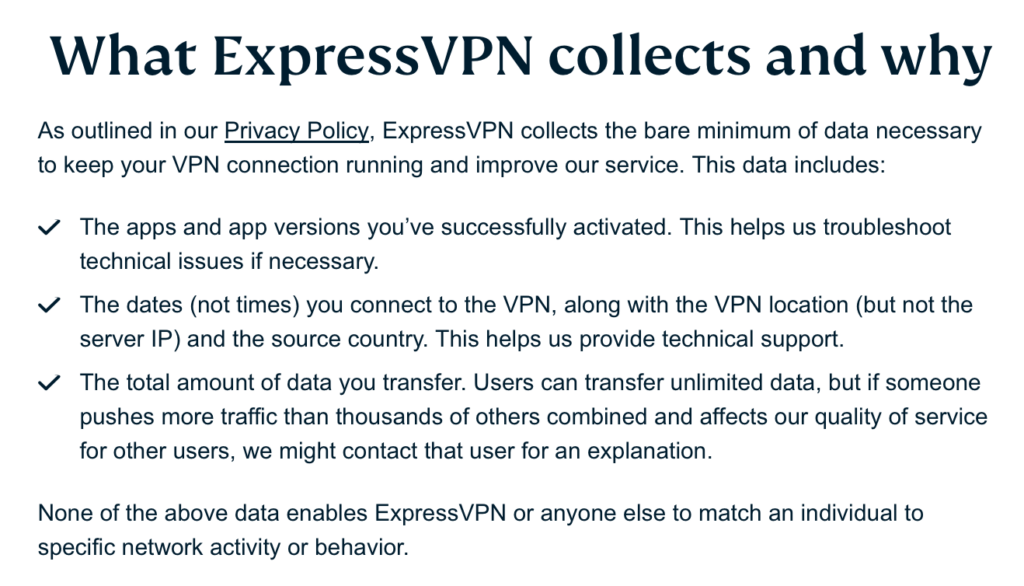
Here are the data points ExpressVPN collects:
 (Salon)
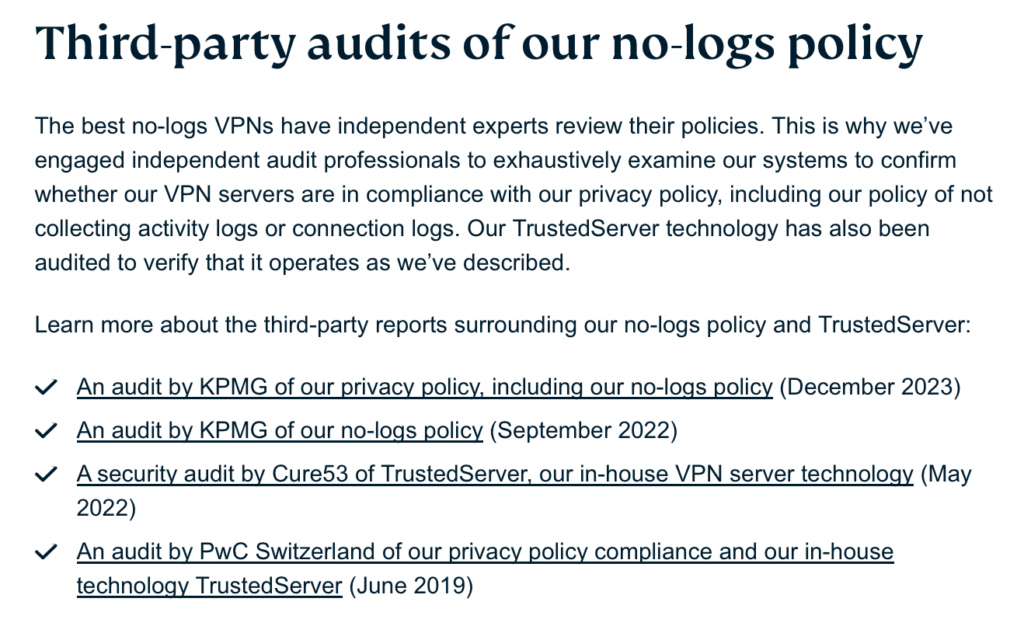
And here are some details on the audits ExpressVPN has undergone:
 (Salon)
The above is a screenshot, so the links aren’t actually links. However, the point is that users can read the full audit reports and assess the service themselves.
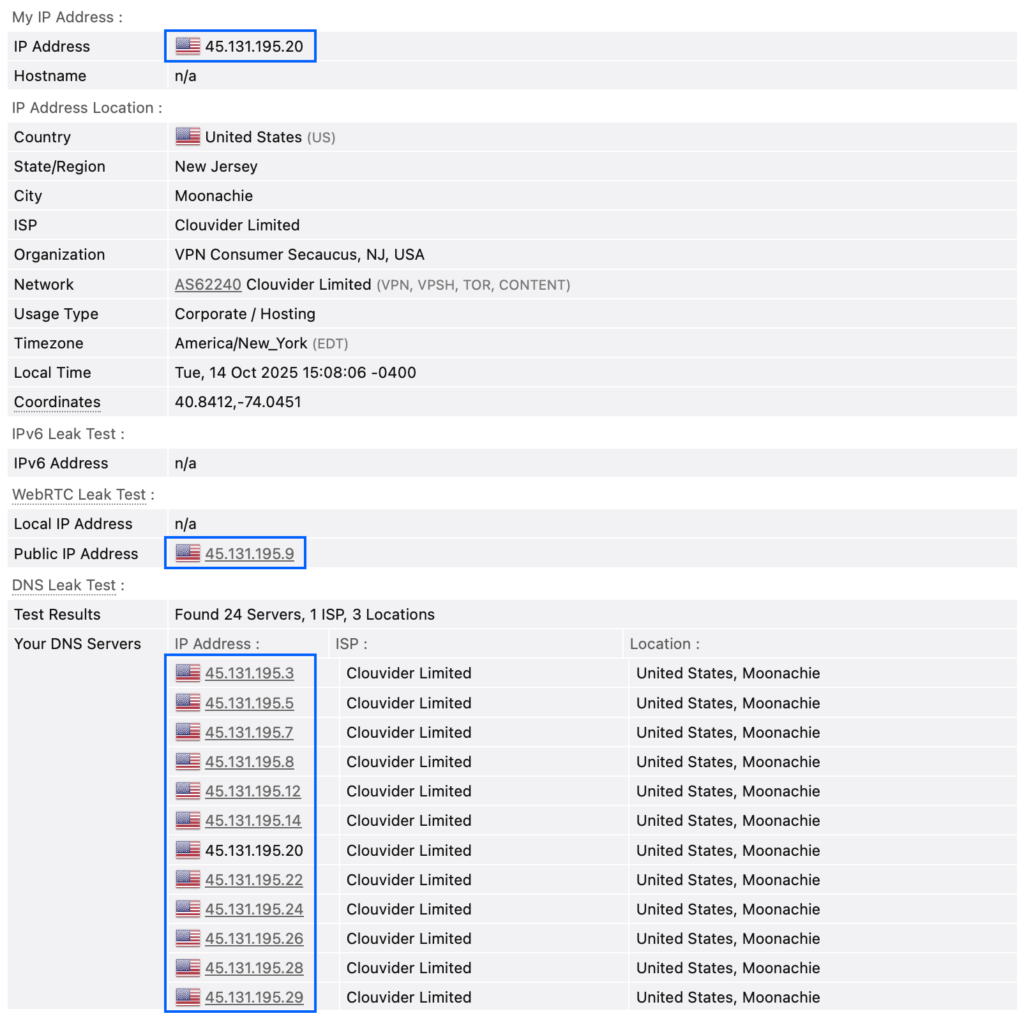
Turning to IP and DNS leaks, my testing revealed none at all.
 (Salon)
Customer Support
 (Salon)
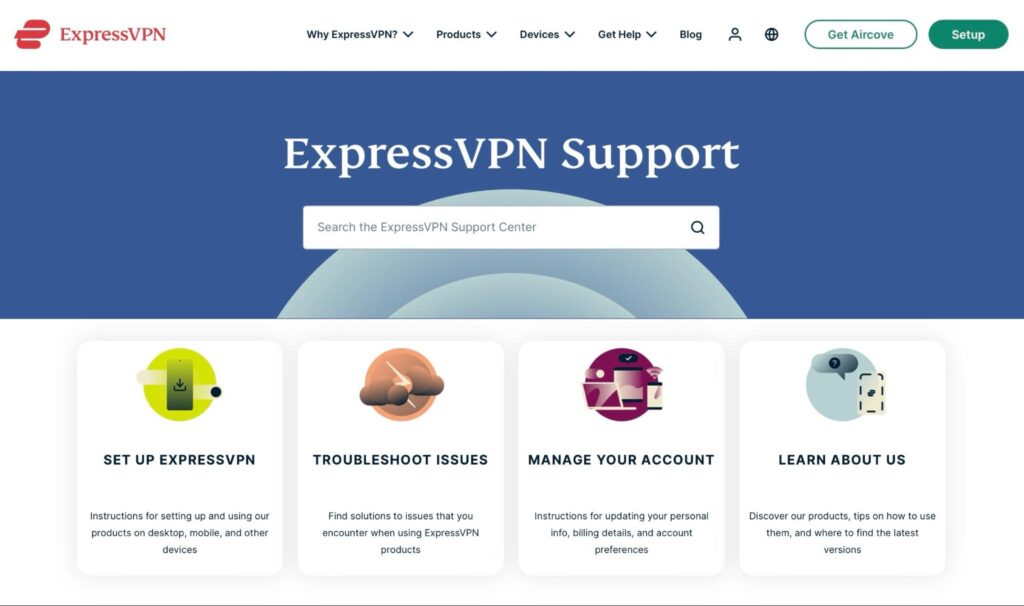
With ExpressVPN, you have two options for Support:
- An online knowledge base
- 24/7 Live Chat
Its knowledge base provides answers to the most common questions users may have. There’s a lot in there – some of it goes beyond “common issues,” providing some technical information that more advanced users may be looking for. If you want to save time and hassle, the knowledge base is a good place to start.
If you need assistance from ExpressVPN’s support staff, the live chat will enable that contact. In my experience, once you get past the now obligatory bot, getting in touch with an agent was quite fast — under five minutes.
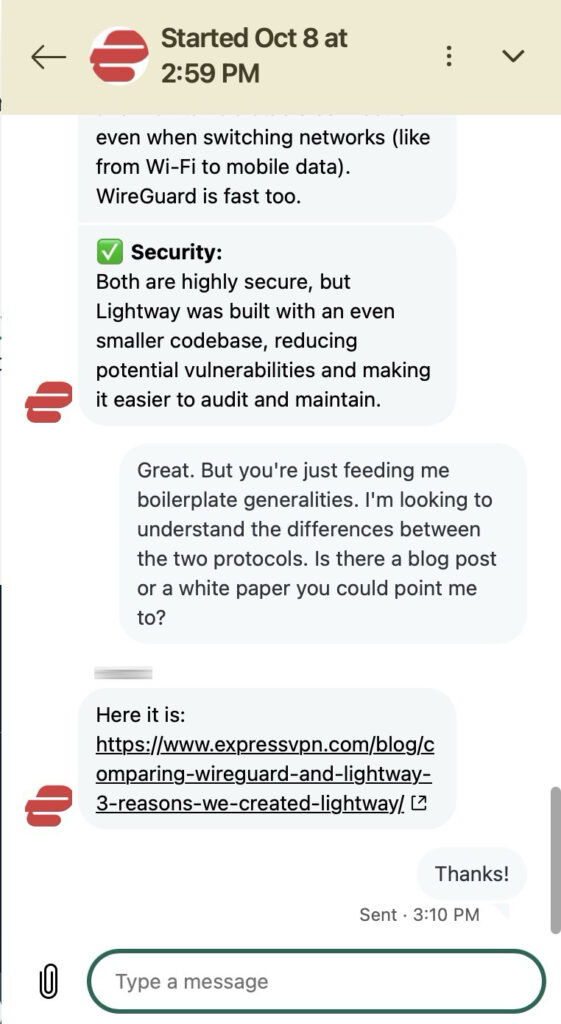
I wanted to know what the differences were between the WireGuard protocol and ExpressVPN’s Lightway. The company specifically stated in a blog post that instead of WireGuard, it would offer its Lightway protocol. It eventually ended up supporting WireGuard, but I was still interested in a comparison between the two. Initially, the agent copied and pasted boilerplate answers, which didn’t answer my question (i.e., it’s fast, secure, etc.). Once pressed, they provided the information in the form of a blog post, which gave me most of the answers I was looking for.
 (Salon)
Most folks will contact support with questions about connectivity or how certain features work. And I’m sure ExpressVPN’s support staff can handle those enquiries competently and efficiently. My question was, admittedly, a bit esoteric and although I had to nudge the agent ever so slightly, I managed to get my answer pretty quickly, nonetheless.
Pricing and Plans
ExpressVPN offers three pricing tiers (Basic, Advanced and Pro) on a monthly, yearly or two-year basis.
Monthly
 (Salon)
One year
 (Salon)
Two years
 (Salon)
The main difference between the plans is the number of extra goodies you get alongside the VPN service. We’re talking about things like identity protection services, eSIM service for when you’re travelling and, in the case of the Pro plan, a dedicated IP address, which is your own dedicated ExpressVPN server with a fixed IP.
While there’s nothing wrong, per se, with ExpressVPN’s extra bundled goodies, they come down to fluff. If you want identity protection, you’re probably better off buying that service from a dedicated provider rather than bundling it up with a VPN subscription.
All plans allow up to eight simultaneous connections. It’s a decent number of devices, but many competitors to ExpressVPN allow 10, and some even allow unlimited simultaneous connections. So, I’d stick with the basic plan, or at least start with the Basic plan and upgrade later.
Now, as for the prices, they’re a bit high. And that’s one of ExpressVPN’s downsides: it is more expensive than other highly rated VPN providers, especially on the monthly plan. If you go for the two-year subscription on the Basic plan, you’re looking at $3.49 per month, which is not a bad deal — it’s just that you’re locked in for two years.
ExpressVPN is a premium VPN and charges prices that reflect that.
Pros and Cons
Pros:
- Excellent speeds
- RAM-only servers
- Fantastic streaming performance
- Supports more platforms than most
- Provides a VPN kill switch
- Obfuscation on all servers
- Supports split tunnelling in most desktop apps
- Smart DNS support (MediaStreamer)
- Excellent privacy policy
- Good support with a detailed knowledge base
- Independent third parties regularly audit the service
Cons:
- Prices are higher than the competition
- Split tunneling is not supported on macOS
- No WireGuard on macOS or Linux
- Limited to eight simultaneous connections
- Offers fewer extra features than its competitors
Conclusion
So, do I recommend ExpressVPN? I do. Wholeheartedly.
I’m a bit of a sucker for VPN providers that stick to a VPN’s classic mission of privacy and security. And that’s what ExpressVPN does. It provides top-notch security (open-source VPN protocols, RAM-only servers), adheres to a strict no-logs policy and still does better than most with streaming, while providing excellent speeds and supporting pretty much every platform you could think of.
That’s pretty impressive.
Of course, if you’re strapped for cash, you might need to look elsewhere. But if you can deal with the premium pricing, you’re getting a premium VPN service. In other words, you’re not being played; you’re getting what you pay for.
Salon has affiliate partnerships, which means we may get a share of the revenue from purchases made through links on this article.
