

Avast, based in the Czech Republic, is well-known for its antivirus products. In 2017, the company entered the VPN space and released Avast Secureline VPN.
Avast’s marketing ticks many of the right boxes, mentioning strong encryption, a no-logs policy and DNS leak protection, among other security goodies. One of them is that the Czech Republic is not a member of the 5, 9 or 14 Eyes alliances, which means the country doesn’t participate in what are considered some of the largest-scale data-sharing arrangements between the intelligence agencies of some of the world’s most influential nations.
That looks pretty good on paper, but there’s a significant caveat. In January 2020, PCMag reported that Avast Antivirus was surreptitiously collecting user data for Avast subsidiary Jumpshot, which repackaged and sold the data. On January 30, 2020, Avast announced it had discontinued the practice.
The collection wasn’t related to its VPN offering; it was happening with Avast’s antivirus products. Still, enhanced privacy is a VPN’s flagship feature, and these practices don’t exactly shore up user trust. Despite this, we’ll keep an open mind and evaluate Avast’s VPN offering as objectively as possible.
Key Features & Technology
 (Salon)(Salon)
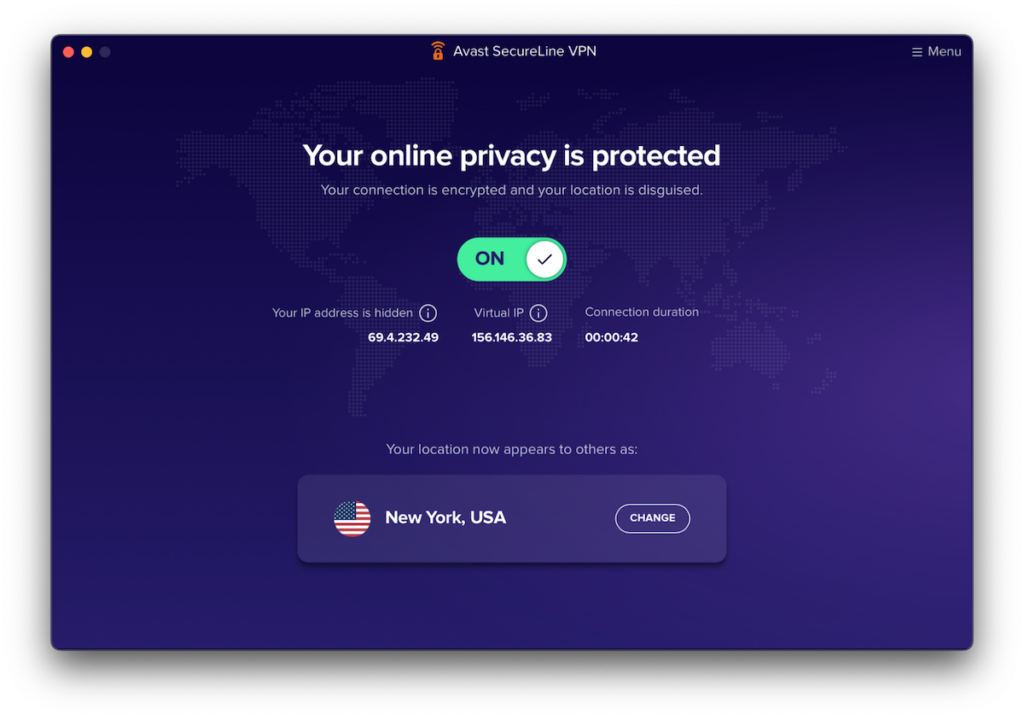
While Avast Secureline VPN provides the basics, its offering is pretty bare bones compared to other VPN services out there.
Aside from the VPN connection itself, Avast Secureline VPN provides dedicated servers for streaming and torrenting. On most platforms (not iOS), it supports basic split tunnelling. It also provides a kill switch that you can enable from the app’s settings. That’s pretty much it.
Avast does claim it protects from DNS leaks and adheres to a no-logging policy, which are features of sorts. But as far as functionality is concerned, the above is all you get.
We’ll look closer at the above features when we dig into the app’s settings menus.
Now, regarding the supported VPN and encryption protocols, it’s a bit of a mixed bag. The protocols it supports depend on the platform you’re using. Here’s a breakdown:
 (Salon)
- Windows: WireGuard, OpenVPN, Mimic
- Android: WireGuard, OpenVPN, Mimic
- macOS: IPsec, Mimic
- iOS: IPsec, Mimic
The encryption depends on the VPN protocol. And while Avast’s website is light on technical details, OpenVPN, IPsec, and Mimic use AES-256, which is deemed secure and is pretty much the industry standard. WireGuard, for its part, uses ChaCha20-Poly1305 as its encryption protocol – a slightly more modern protocol than AES-256, and is also deemed very secure.
Bottom line: Avast uses well-established, open-source, industry-standard ciphers, which provide excellent security.
You may have noticed another protocol in that list that you might not be familiar with: Mimic.
Mimic is Avast’s homegrown VPN protocol. There may not be a particular reason to consider it insecure, but Avast itself developed it and is closed-source (proprietary). That means nobody can review the protocol to ensure it’s secure and is free of known vulnerabilities. While Avast may have done a great job with Mimic, there’s no way to know; you just have to take them at their word that they did everything right. It’s simply not ideal.
Stick with open-source VPN protocols. The protocols I recommend using are:
- IPsec
- OpenVPN
- WireGuard
 (Salon)
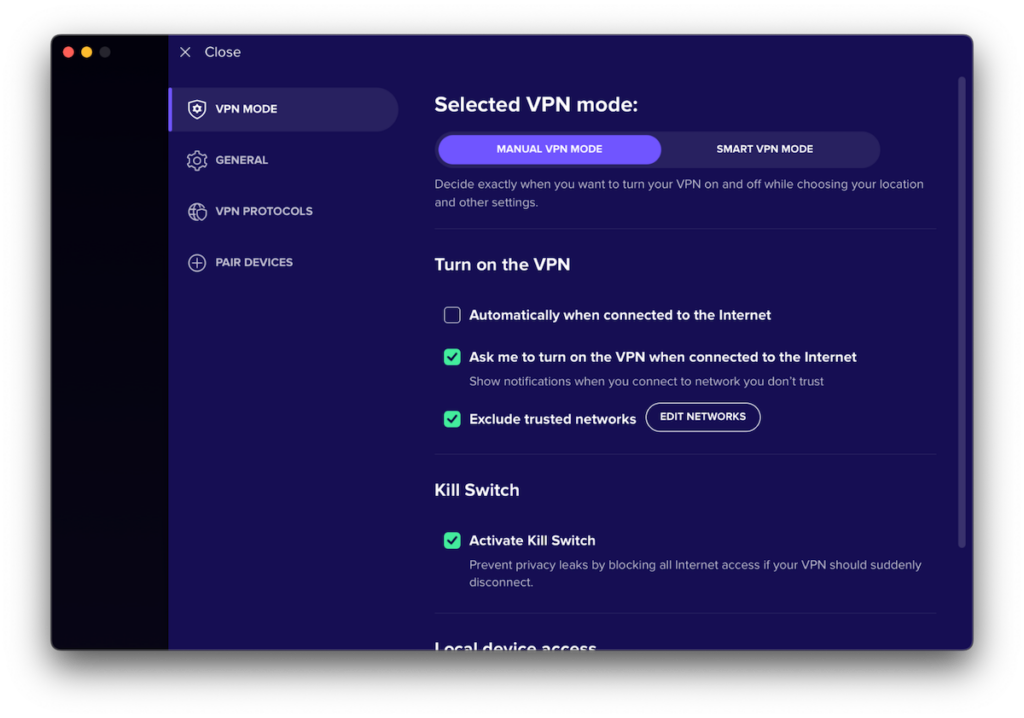
You’ll find most of Avast Secureline VPN’s security features in the app’s Settings. From the VPN Mode settings menu, you can customize whether or not the VPN gets enabled automatically and in what circumstances.
You can configure the VPN to automatically connect whenever you’re online or have the app ask you whether or not to connect. Below that, you can create a list of trusted networks for which the VPN will not automatically connect.
For example, you may want to enable the VPN at a coffee shop but not when using your home WiFi. Simply add your home network’s SSID to the list of Trusted Networks, and the VPN will automatically disconnect when you connect to that WiFi network.
Then there’s the kill switch feature. The kill switch, when enabled, automatically blocks all traffic from exiting your device if the VPN should ever disconnect for any reason. This is something I recommend enabling for the more privacy-focused users out there.
Under that, you’ll find an option to allow access to your LAN while connected to the VPN.
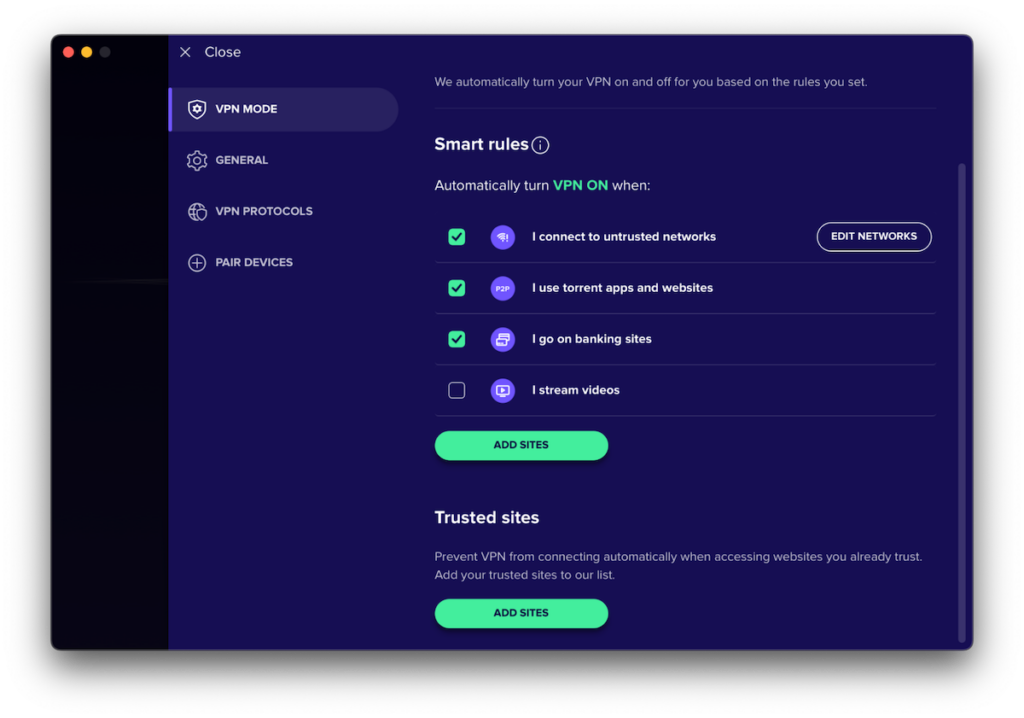
All of the above applies to Manual Mode, which is the default. But there’s also Smart Mode. Smart Mode enables the VPN to connect automatically under five circumstances:
- When connecting to unknown networks
- When torrenting and browsing the web
- When accessing banking sites
- When streaming media
- When accessing a website you manually added to the list by clicking ADD SITES.
You can turn the feature on or off for each situation individually. I don’t feel this is particularly useful, and would stick to Manual Mode.
Underneath that is where you can enable split tunneling.
 (Salon)
Split tunneling, also called selective routing, allows you to choose whether or not to send certain traffic through the VPN. Usually, with split tunneling, you can select which apps go through the VPN and which ones use your regular ISP connection. You could, for example, send your P2P traffic through your VPN connection while sending the rest through your ISP connection. Or you could just exclude your Netflix traffic from the VPN while letting everything else through the encrypted tunnel.
But Avast’s implementation is more basic than that. With Avast, you can only include or exclude specific websites from the VPN, not apps. So, if you wanted to exclude Netflix, you’d have to know all the domains it accesses to get it to work properly, which isn’t always practical.
Infrastructure & Server Network
Avast claims to offer 700 servers in 27 countries. From the app, you can choose between 58 locations, and you’ll be connected to one of those 700 servers. Many providers offer a much larger number of locations. But I feel that 27 countries to choose from is more than enough for most.
At the beginning of the review, I mentioned that Avast’s website isn’t the most informative, as it is light on technical details. Because of that, it’s difficult for me to say with assurance whether its servers are physically in the jurisdiction they claim to be or if they’re simply virtual servers. If I were a betting man, however, my money would be on virtual servers, but it’s hard to know for sure.
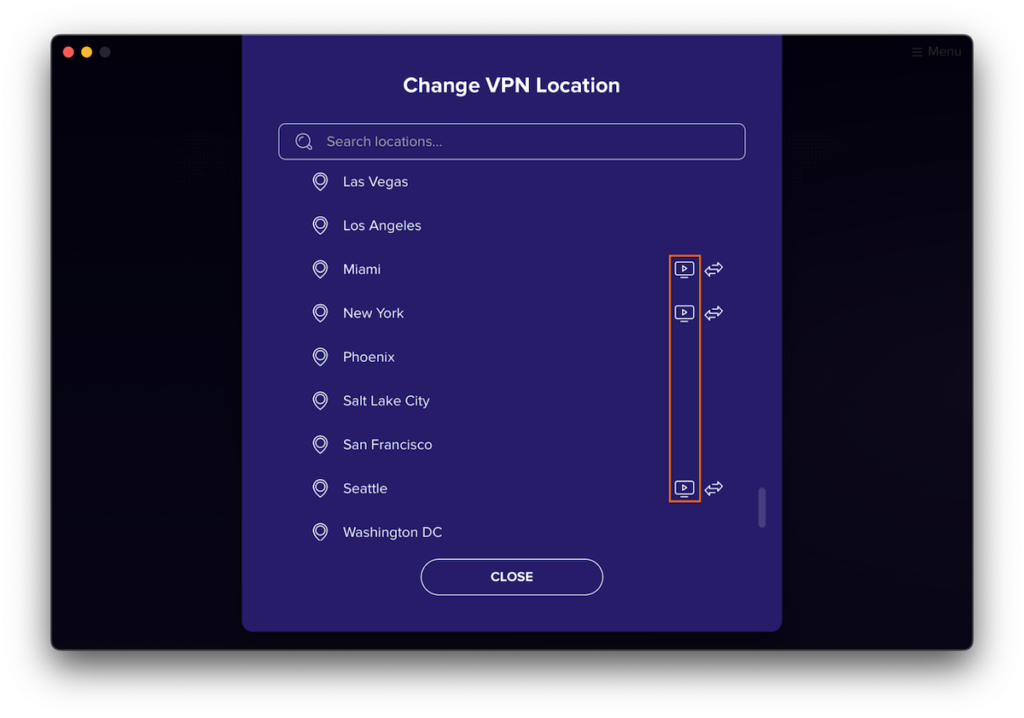
Whether physical or virtual, Avast provides a limited number of streaming-optimized servers, marked with a “monitor” icon in the server list. They are:
 (Salon)
- Frankfurt, Germany
- “Wonderland, UK”
- “Gotham, U.S.”
- Miami, U.S.
- New York, U.S.
- Seattle, U.S.
It also means you can only access geo-restricted content from three countries using Avast, which, given that most streaming services block access over VPN, is still better than nothing. If you want to access other Netflix libraries while on VPN, you’ll need to turn to a different provider.
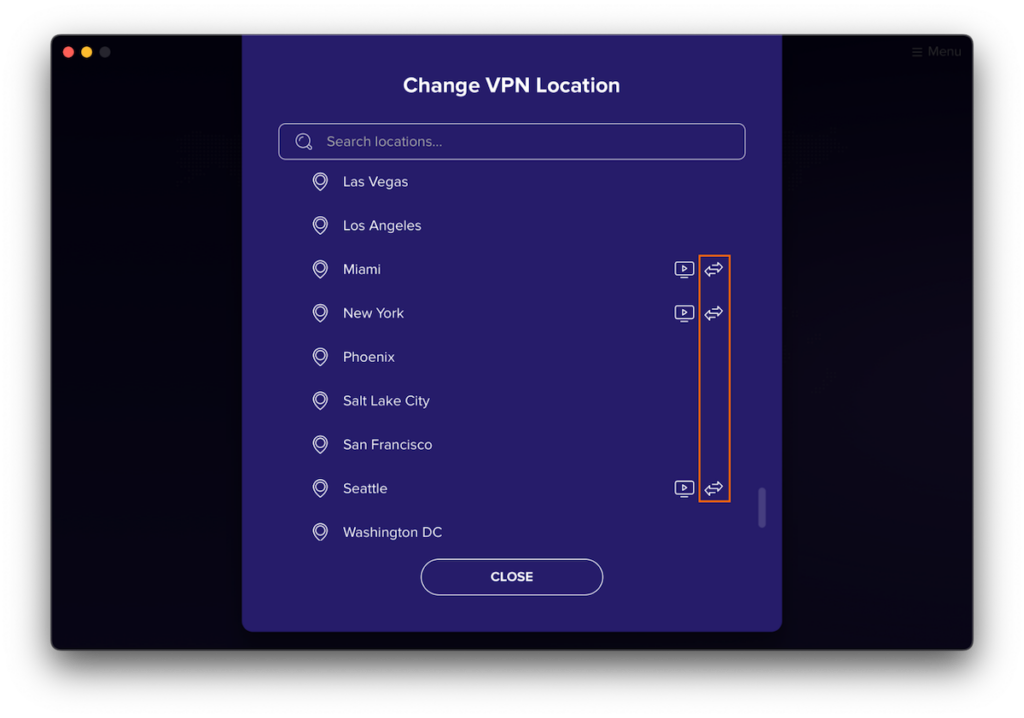
Avast also offers a few P2P-optimized servers. These torrenting servers are marked with an “arrows” icon. They are:
 (Salon)
- Prague, Czech Republic
- Paris, France
- Frankfurt, Germany
- Amsterdam, Netherlands
- London, United Kingdom
- Miami, Florida
- New York City, New York
- Seattle, Washington
Torrenting is only allowed on the above servers. And you may want to enable the kill switch when torrenting.
Apps & Usability
Avast SecureLine VPN supports the following platforms:
- Windows
- macOS
- iOS
- Android
- AndroidTV
It doesn’t support Linux or routers.
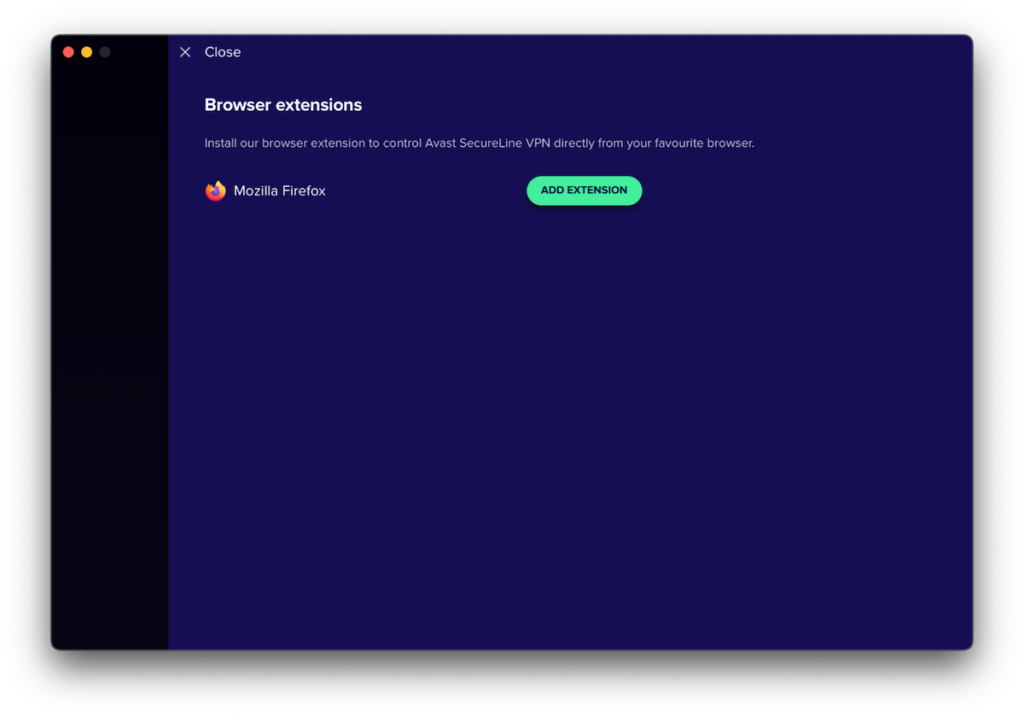
Avast also provides a Firefox browser extension. You can install the browser extensions straight from the app if you like. However, the browser extension will only tunnel your browser’s traffic rather than your entire system. So, I always recommend using the full-fledged app unless you have a specific use case.
 (Salon)
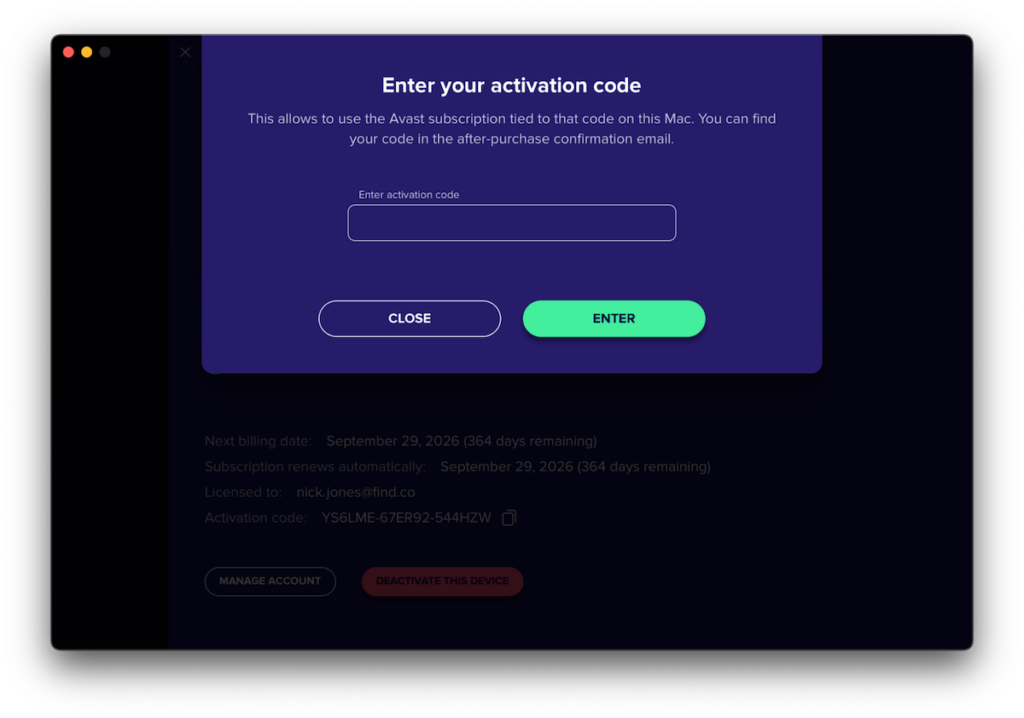
When you first launch Avast’s app, you have to sign in if you purchased an account, or you can start your free trial (which doesn’t require you to hand over your credit card number). You also need to enter an activation code to tie your purchased subscription to the device you’re using. The activation code can be found on your Account page on Avast’s website. This is a bit tedious, and you’d be right to ask why this is needed.
 (Salon)
Once you’re set up, you can choose your location and connect.
(Salon)(Salon)
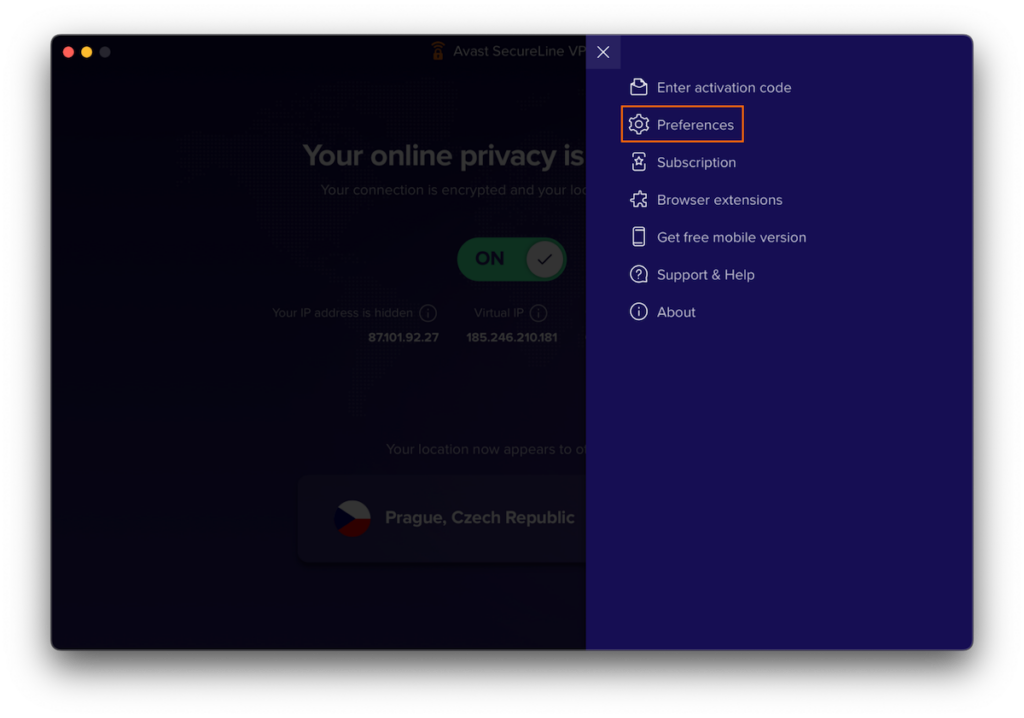
The native desktop app is clean and relatively easy to navigate, but it has very few options — as we’ll see. The app’s settings are accessed by clicking the Menu icon at the top right of the app and choosing Preferences.
 (Salon)
Avast’s app includes four Preferences pages:
- VPN Mode
- General
- VPN Protocols
- Pair Devices
We’ve already covered the VPN Mode page in the Privacy & Security section, so we’ll focus on the other settings here.
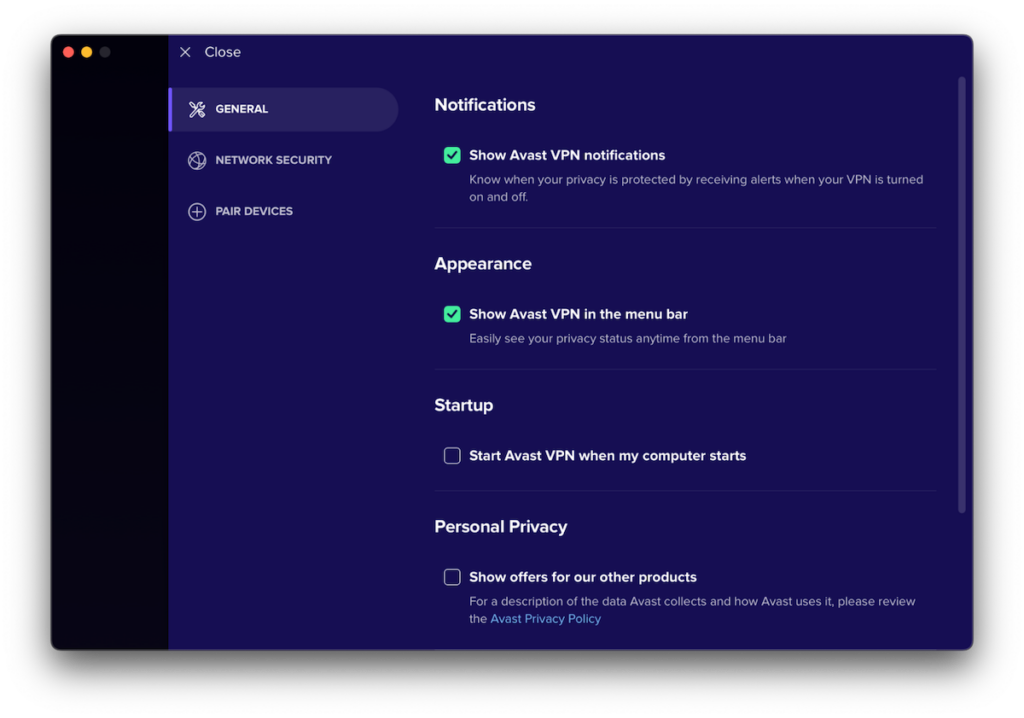
From the General tab, you can configure your notifications settings, select whether to start AVG Secure VPN when you boot up your computer, choose whether to display Avast VPN in the menu bar, and select whether you want Avast product ads in your app (I recommend turning that off).
Below that (not displayed), you can choose whether or not to receive beta app updates.
 (Salon)
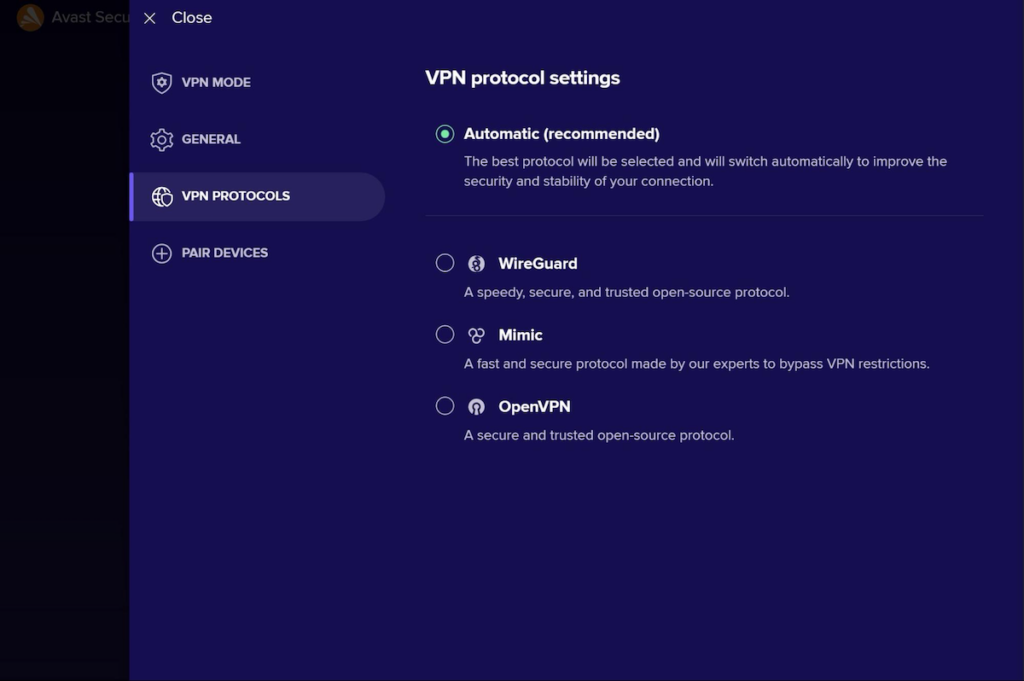
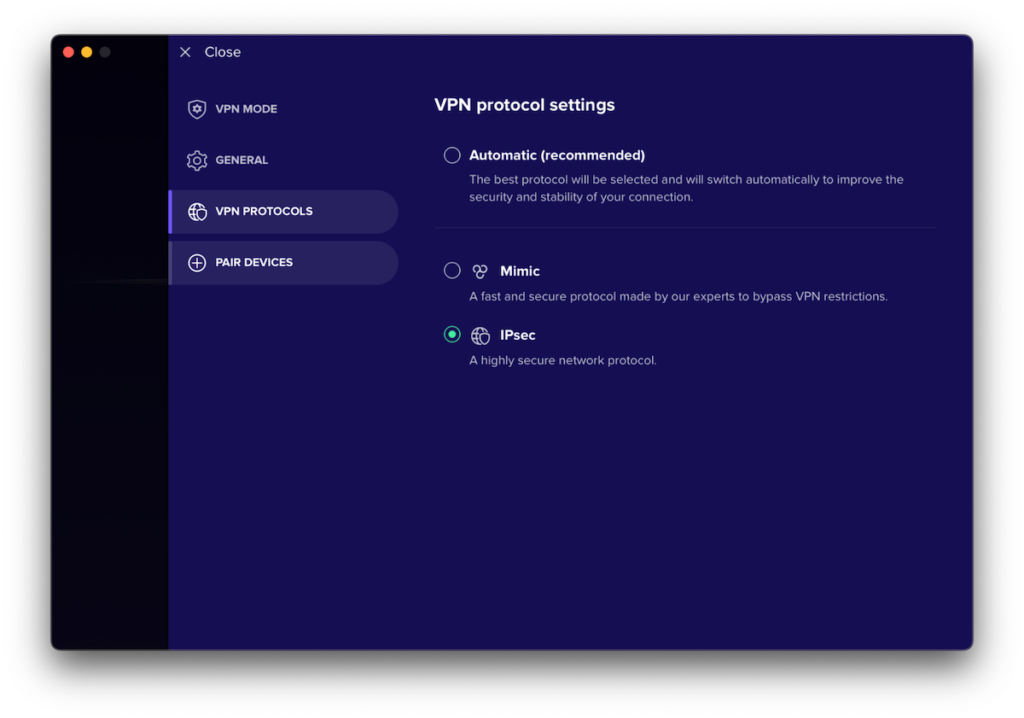
The VPN Protocols page allows you to select the VPN protocol used.
 (Salon)
As previously mentioned, your options are (depending on your platform):
- Automatic (the app will decide for you)
- WireGuard
- OpenVPN
- IPsec
- Mimic
Again, I don’t recommend using Mimic on any platform.
The Pair Devices page is used to activate your Avast SecureLine VPN on your other devices. This feels very convoluted. Every other VPN provider simply allows you to log into other devices (up to their supported limit) using your credentials.
To use your subscription on your nine other devices (Avast allows up to 10 simultaneous connections), you’ll need to pair them. Avast provides detailed instructions on how to achieve this here. Why? It remains unclear.
Performance & Speed
Speed is a big deal when evaluating VPN performance. You want your VPN to be as fast as possible, but keep in mind that any VPN will add overhead to your connection because of the constant encryption and decryption. That has a cost in terms of speed.
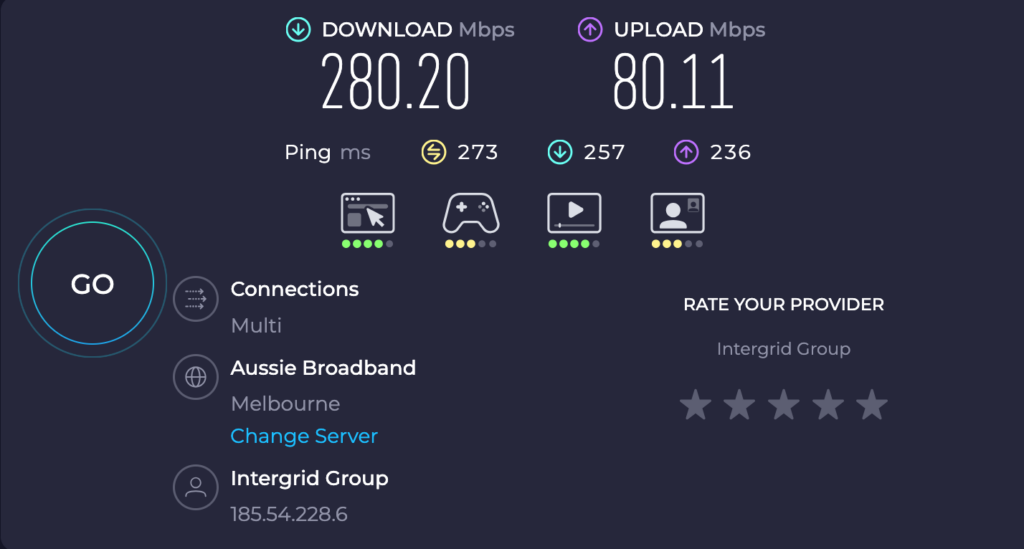
I tested Avast’s performance by running multiple speed tests, spanning North America, Europe, and Oceania. And I got some decent results. Typically, the closer the VPN server was to my actual location, the better the results — but there was a bit more variation here (which points to virtual servers).
The global average download speed, across all locations and times tested was 275.69 Mbps.
Baseline ISP speed
Average of speed tests (download): 585.27 Mbps
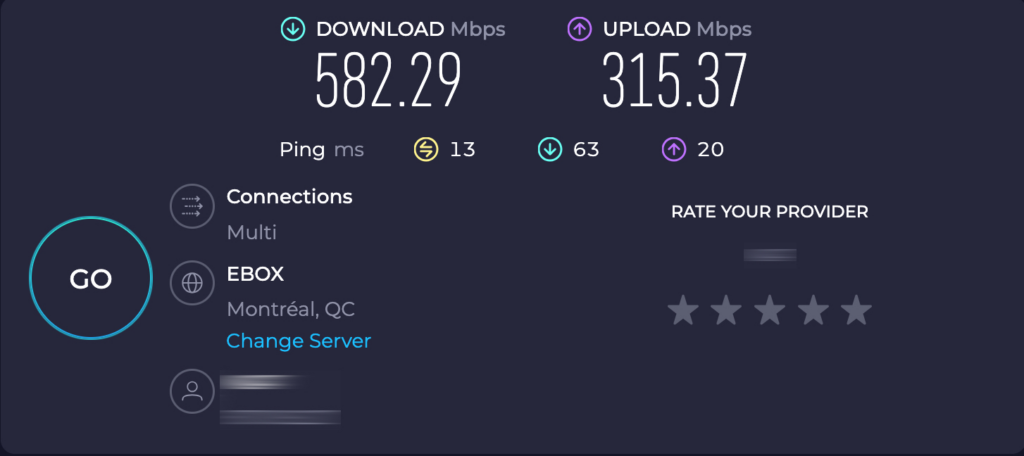 (Salon)
Local VPN server (Montreal)
Average of speed tests (download): 333.67 Mbps
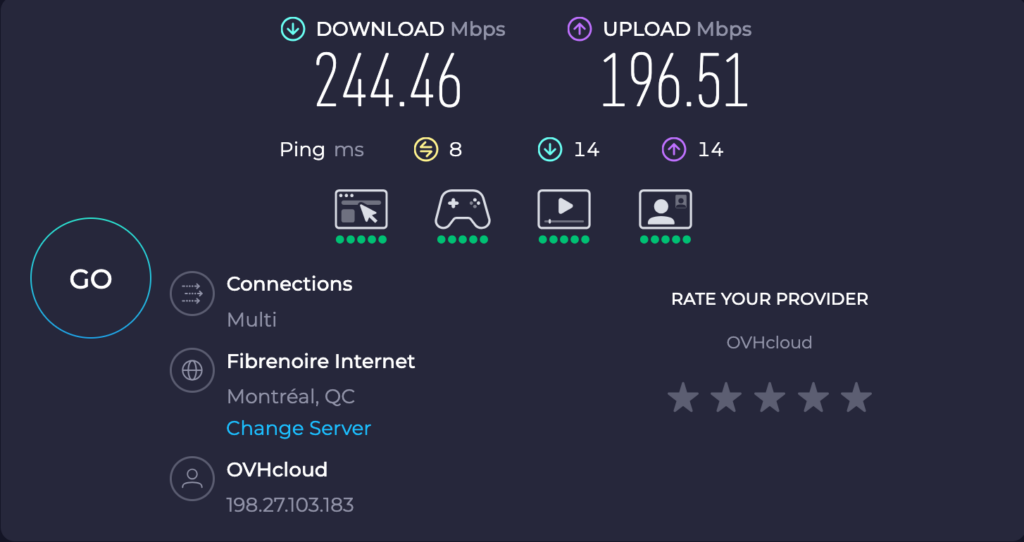 (Salon)
Nearest Country (USA, New York)
Average of speed tests (download): 207.90 Mbps
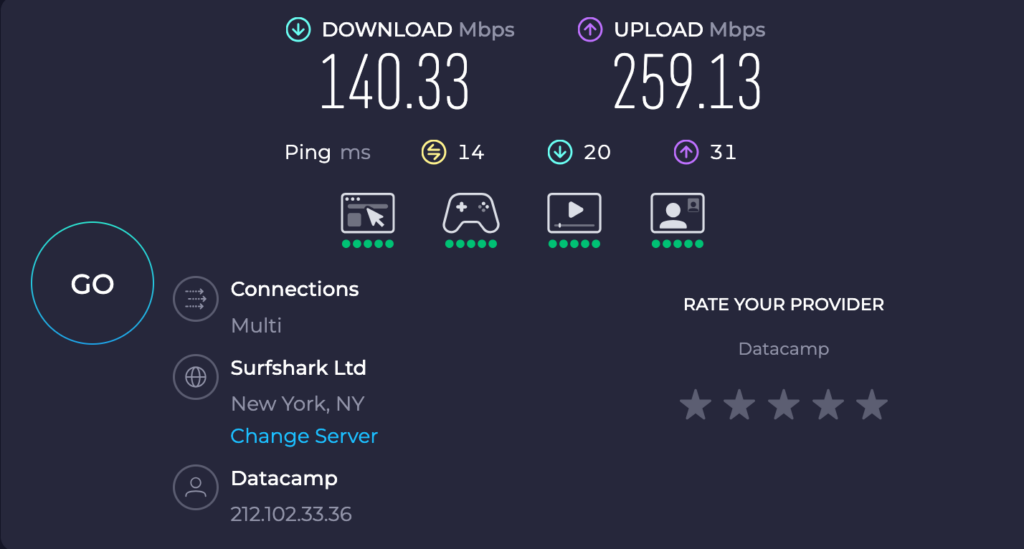 (Salon)
Europe (UK)
Average of speed tests (download): 310.93 Mbps
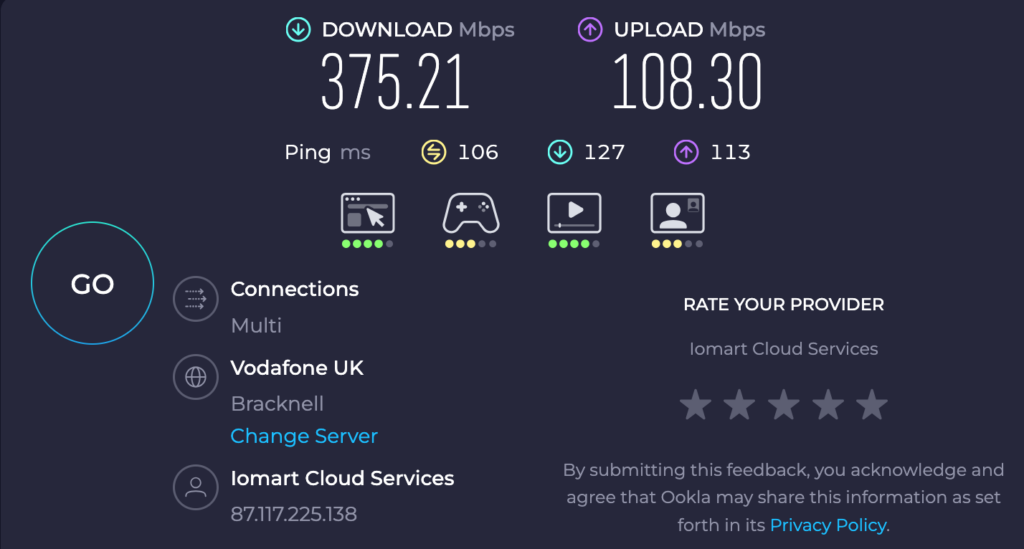 (Salon)
Oceana (Australia)
Average of speed tests (download): 250.24 Mbps
 (Salon)
Bear in mind that these kinds of speed tests only represent a snapshot in time and can be affected by several factors, like network conditions, the number of users on the server, etc. All in all, Avast Secureline VPN provides good speeds.
Streaming & Unblocking
While Avast’s server list highlights specific servers as optimized for streaming, their performance was somewhat of a let-down.
Of all the streaming services I tried while connected to Avast’s streaming servers, I could only stream Netflix Germany (Frankfurt server). I couldn’t access HBO Max, Netflix US, Amazon Prime Video, or Disney+ over any of the U.S. servers. While on the UK servers, BBC iPlayer was blocked as well.
It’s good that Avast provides dedicated streaming servers in its offering. It would be better, however, if they worked.
Still, as was the case with speed, these tests only represent a snapshot in time. The results could have been different if I had run my tests a few days earlier or later.
Privacy & Security
Let’s take a look at Avast’s privacy policy.
The privacy policy it puts forth does have the benefit of transparency, but ultimately, it’s just a list of what Avast collects, with only a petite section that lists what it doesn’t collect.
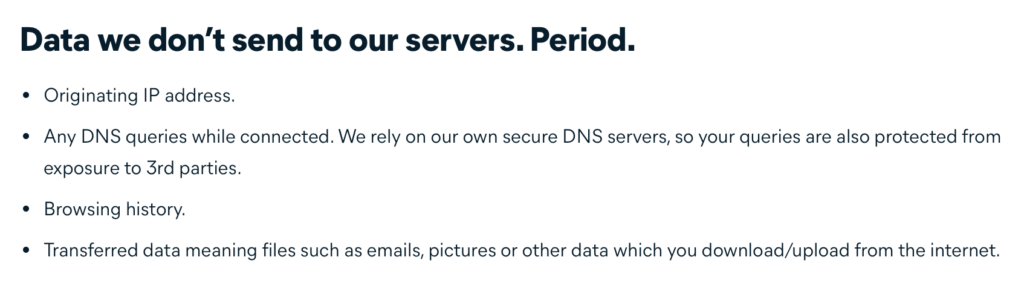 (Salon)
The rest of Avast’s privacy policy lists what it collects. Spoiler: it collects a lot of data.
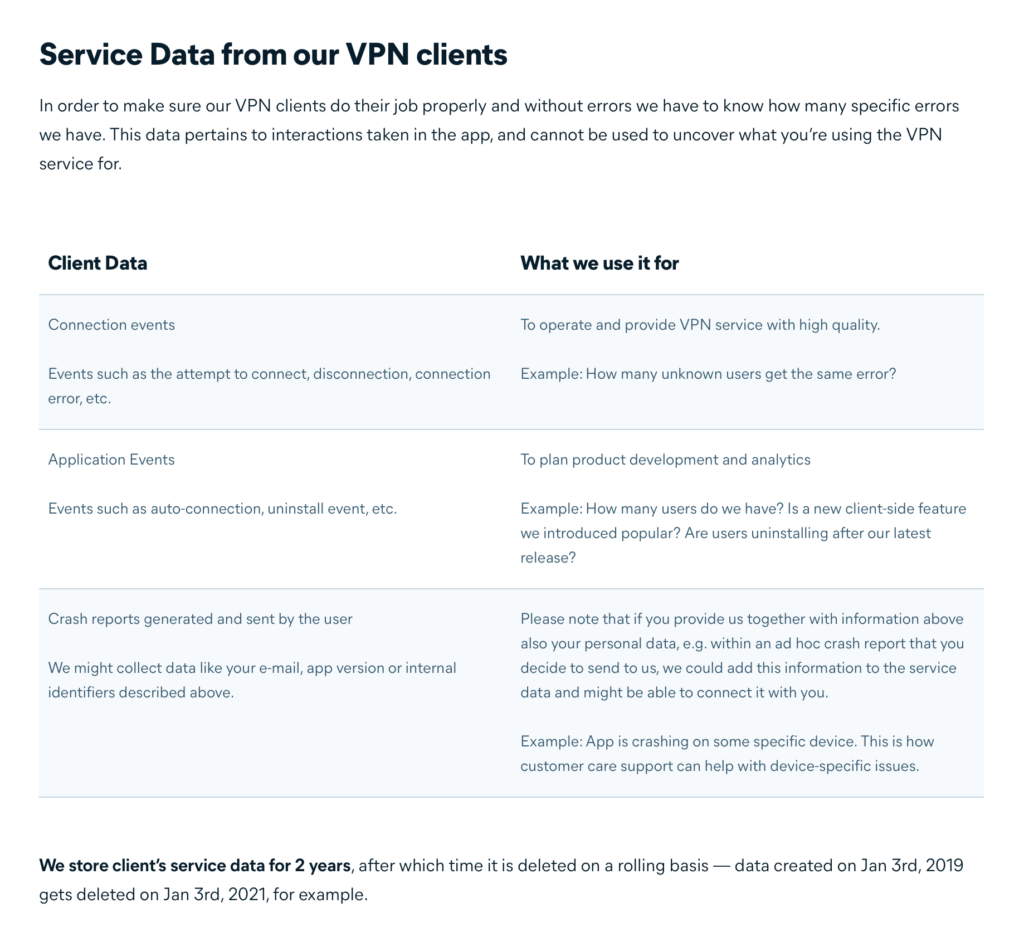 (Salon)
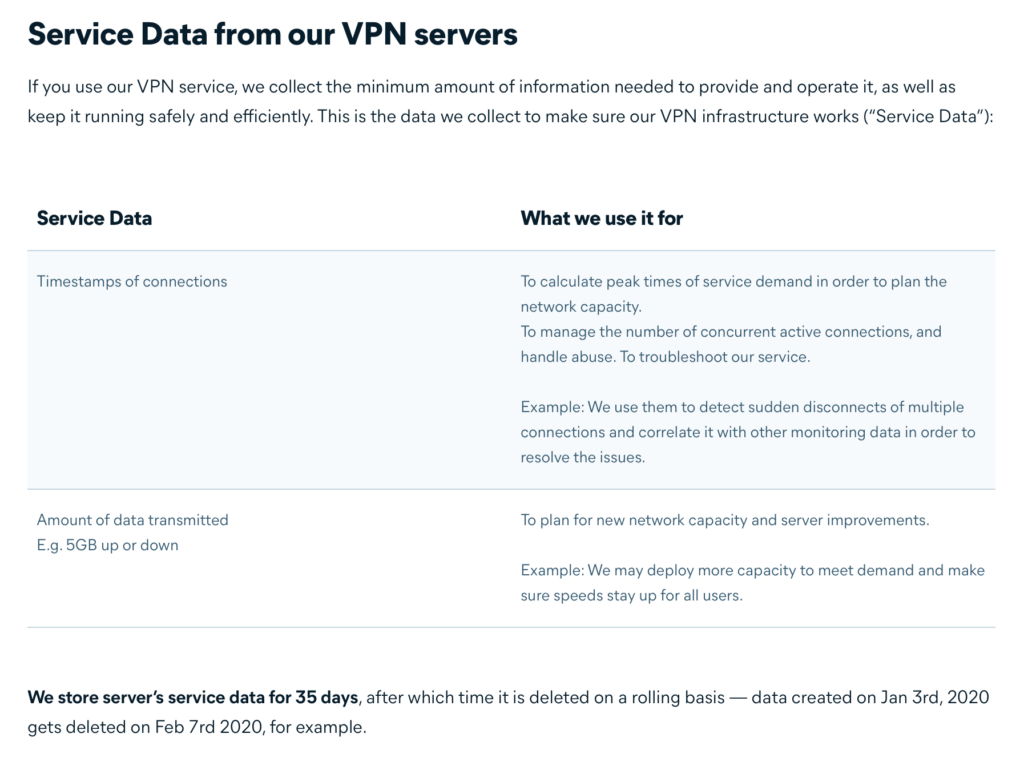 (Salon)
The screenshot below lists all of the third-party trackers Avast uses in its VPN apps:
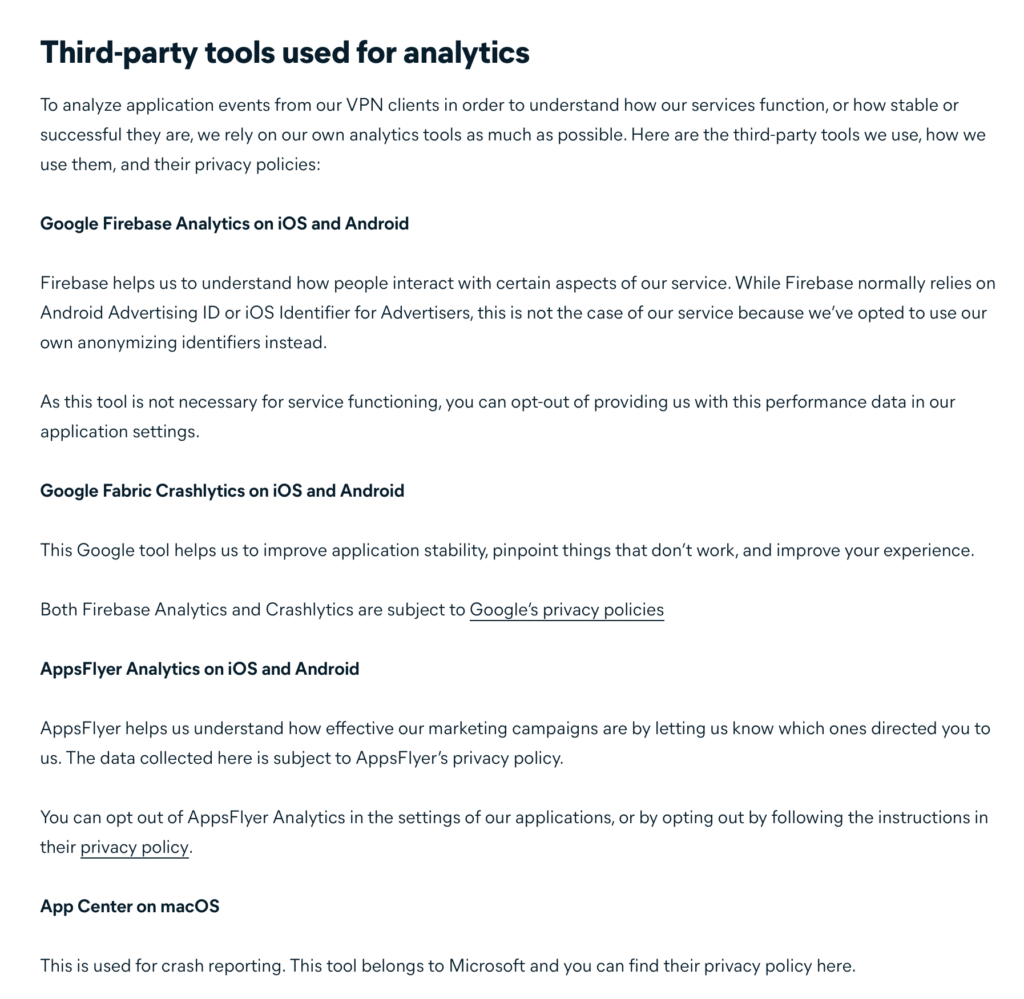 (Salon)
I’d say that privacy isn’t one of Avast Secureline VPN’s strong points. And, having trackers embedded in your VPN app is a bit like putting yourself on an all-cake diet to lose weight — it kind of contradicts your mission statement.
Turning to leaks, my testing revealed no DNS or IP leaks of any kind (IPv6, WebRTC). When connected to Avast, my IP address and DNS servers are changed to Avast’s. WebRTC and IPv6 are disabled.
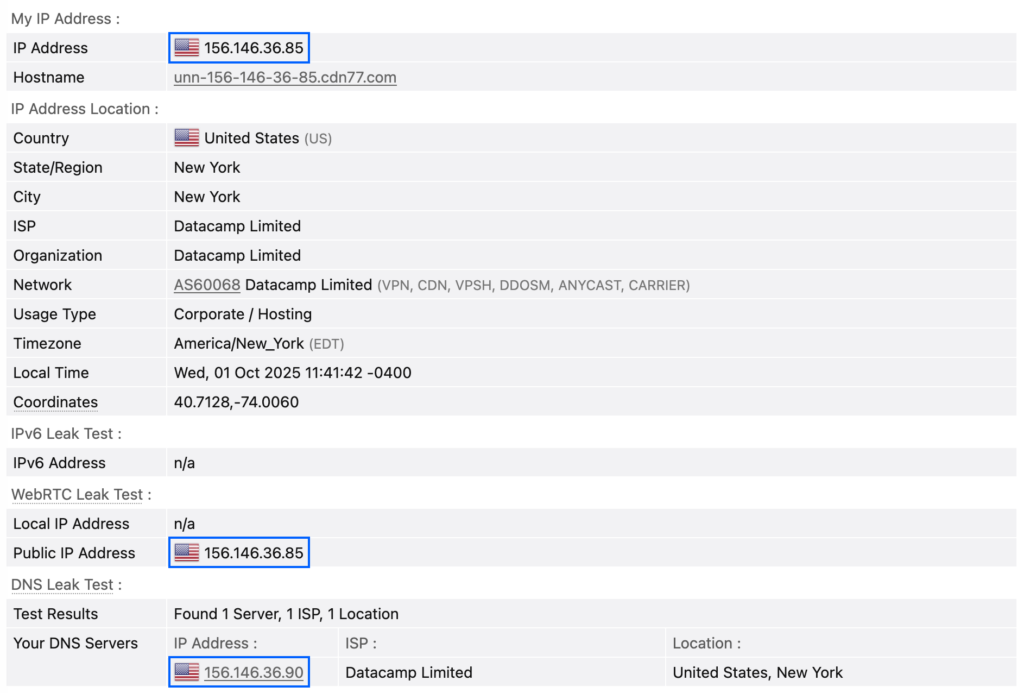 (Salon)
Customer Support
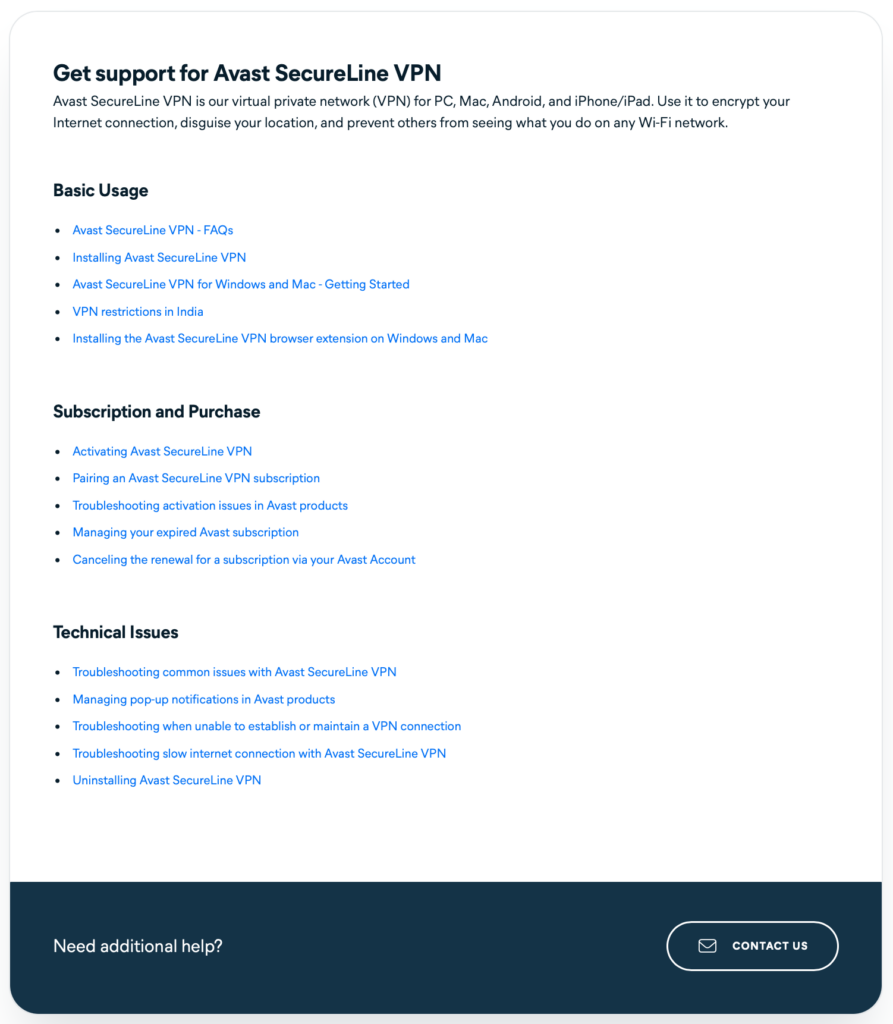 (Salon)
Avast provides its users with an online knowledge base that aims to address the most common issues users are likely to encounter. If you’re on the free trial, that’s all you get.
If you’re a paying customer, clicking on CONTACT US will allow you to get support from an Avast support rep over chat or phone — available 24/7. Good stuff.
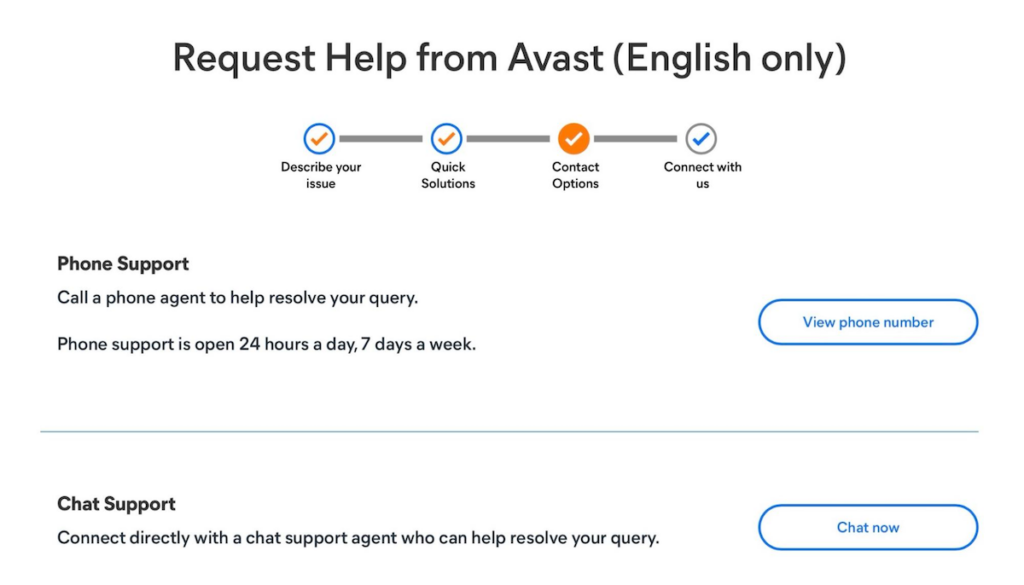 (Salon)
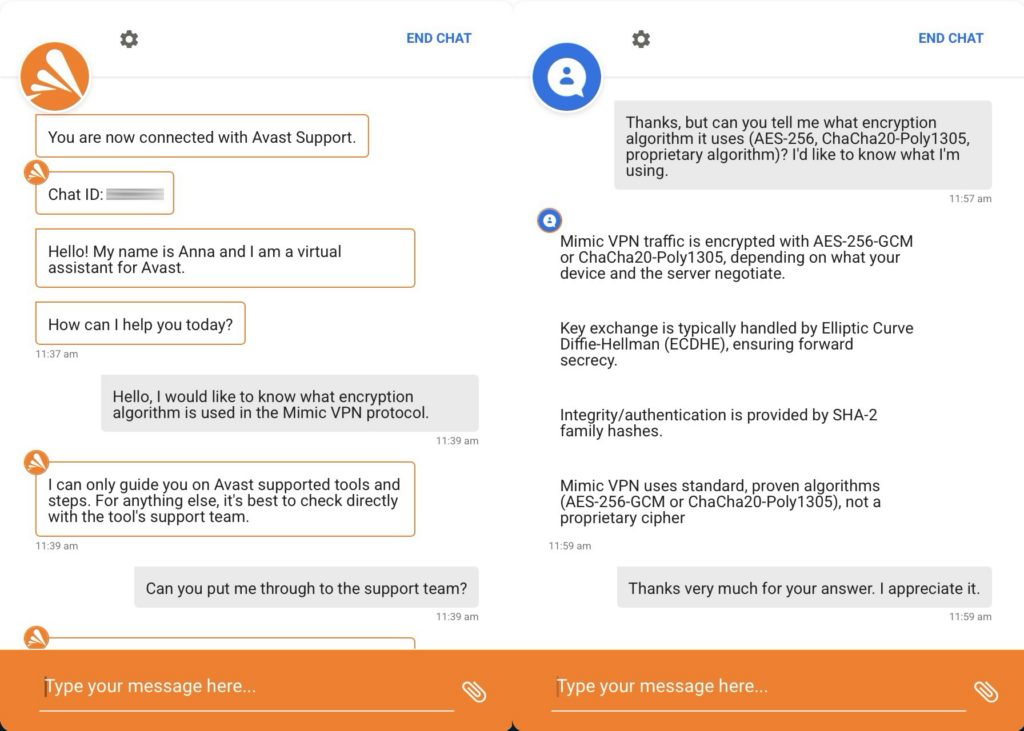
I opted for the chat and was first greeted by a bot that connected me with a live agent after requesting it. I asked the agent about the encryption used in Avast’s proprietary protocol, Mimic. And I have to say, I was surprised by how thorough the agent’s answer was (I was also relieved to read that it uses open-source encryption).
Here’s part of the exchange:
 (Salon)
To be clear: I still don’t recommend using Mimic because there are too many unknowns. Though it is reassuring that it uses well-known and community-reviewed ciphers.
Pricing & Plans
 (Salon)
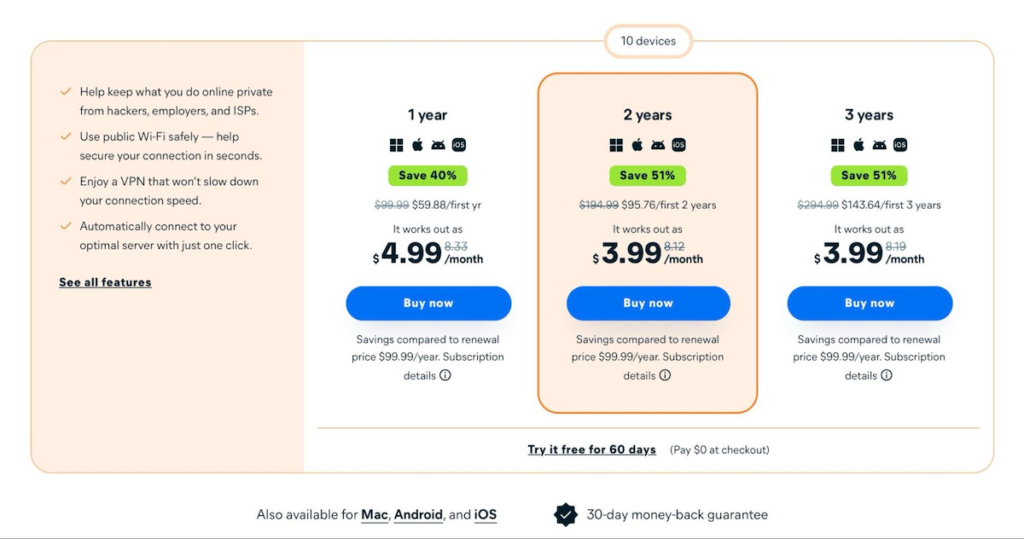
Avast offers three plans and a 60-day free trial (which requires a credit card).
- 1 year: $4.99/month — $59.88 for the first year and renews at $99.99/year.
- 2 years: $3.99/month — $95.76 for the first two years and renews at $99.99/year.
- 3 years: $3.99/month — $143.64 for the first three years and renews at $99.99/year.
It’s a bit odd that the three-year plan isn’t at a lower monthly rate than the two-year plan, but that’s their offer.
These prices aren’t unreasonably high. The thing is, however, that Avast doesn’t offer much beyond a VPN connection (there’s a kill switch and basic split tunnelling). So while its prices are decent, you can easily get more features (and better privacy and security) with a more reputable VPN provider for that price — or less. So it’s a hard sell.
Pros & Cons
Pros:
- Decent speeds
- Prices are reasonable
- Provides native applications for all supported platforms
- Provides a VPN kill switch
- Supports basic split tunnelling
Cons:
- 2020 antivirus logging controversy
- Its website is not very informative
- No router or Linux support
- Poor streaming performance
- Privacy practices are lacking
- Offers fewer features than its competitors
Conclusion
So, is Avast Secureline VPN recommended? No, it’s not.
There are a few reasons behind my verdict. The first reason is the data collection faux pas of 2020. Avast claims to have discontinued the practice, and it probably did, but that’s simply not something you want on your VPN provider’s record. And when you compound the fact that Avast still collects more user data than most privacy-conscious individuals will be comfortable with, it’s just impossible to recommend.
It could have been fine for those simply looking for a VPN for streaming media abroad, but Avast’s ability to unblock streaming sites is rather poor.
So my recommendation is quite simply to move along. You can get more features, better security and privacy, and, for those who care, better streaming support for less money. Just take a quick glance at the competition and you’ll see my point.
