
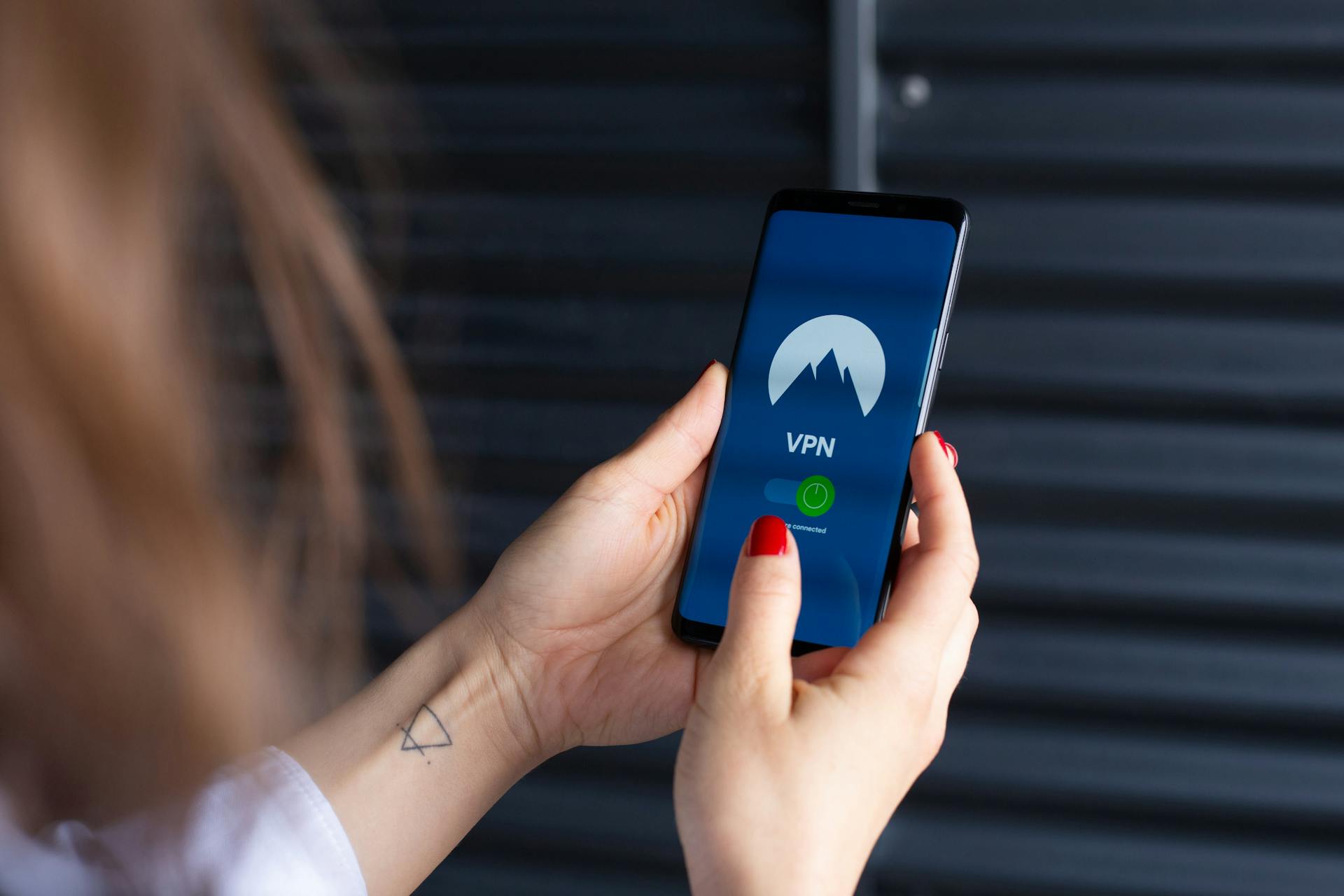

VPN stands for Virtual Private Network: it creates a secure private tunnel over public networks, such as the internet, to shield your online activity from prying eyes. Millions of people worldwide use VPNs to enhance their digital privacy, bypass geo-restrictions, and secure public WiFi, among other things.
In this article, we’ll look at what VPNs are, how they work and how to decide whether or not you should be using one.
What is a VPN?
As mentioned above, a VPN creates a private, encrypted tunnel between your device and the internet. You do that by connecting your device to a VPN server. Once you’re connected, it’s the VPN server that forwards your traffic to its ultimate destination, making you much harder to uniquely identify.
Here’s a simple example:
When connecting to a site like Salon without a VPN, the traffic flows from your device to your ISP, and then to Salon’s site.
When accessing a site like Salon over a VPN connection, the traffic flows from your device to your Internet Service Provider (ISP), then to the VPN server, which forwards your request to Salon. Because your connection to the VPN server is encrypted, your ISP cannot see which sites you’re accessing (it can only see that you’re connected to a VPN server). As for the website you accessed, it can only see the VPN server’s IP address, so it cannot uniquely identify you.
How VPNs Work
The above is a high-level view of how VPNs work. Now let’s unpack that a little.
So, a VPN encrypts your connection. What does that mean exactly? It means an encrypted tunnel is created between your device and the VPN server. Encryption only occurs in that tunnel.
As your requests travel over the internet to the VPN server, they’re encapsulated in the encrypted tunnel. Once your traffic reaches the VPN server, it has reached the end of the tunnel and needs to be decrypted before your requests can be forwarded to the site or service you’re attempting to access. The website gets the request from the VPN server and can only see that server’s IP address and location—not your original IP address and location. It then sends the response back to the VPN server, which encrypts it and sends it back to your device for you to decrypt. Rinse and repeat until you disconnect from the VPN.
There are two common kinds of VPNs, each serving its own purpose:
Commercial VPNs:
Commercial VPNs are designed to provide users with enhanced online privacy and security by encrypting the traffic to and from the VPN server and replacing the user’s ISP-provided IP address with the VPN server’s IP address, effectively spoofing the user’s location. A commercial VPN’s purpose is to provide obfuscated Internet access.
Enterprise VPNs:
An enterprise VPN works along the same technical principles as a commercial VPN, but its goal differs. Enterprise VPNs enable end users to securely access internal resources (corporate intranets, internal file servers, etc.) over the internet. As with a commercial VPN, your connection to the server is encrypted, and your IP address is changed. But the goal here isn’t privacy and security, it’s secured remote access.
There are also site-to-site VPNs, which are typically used in a business setting, where an organization wants to link remote private networks together securely by setting up a VPN gateway between those networks.
This article is about VPNs for online privacy and security rather than corporate remote access, so we’ll focus on commercial VPNs.
Protocols
Different commercial VPN providers support different VPN protocols. The three recommended VPN protocols are WireGuard, OpenVPN and IPsec (IKEv2), because they’re open-source, use strong ciphers and their respective codebases have been thoroughly reviewed and deemed secure. Some providers also run their own protocols on top—ExpressVPN’s Lightway (open-sourced and reviewed by Cure53), NordVPN’s NordLynx (a WireGuard variant), and NordVPN’s NordWhisper stealth protocol (added in early 2025) for restrictive networks.
WireGuard
This is the newest VPN protocol and is known for its security, speed, simple codebase (easy to audit) and ease of use. Most established VPN providers promote WireGuard as the go-to protocol.
OpenVPN
OpenVPN has been around for a while and is deemed very secure. It’s one of the most customizable VPN solutions, adapting to various scenarios. But it does have downsides, such as being slower than other protocols, and, while highly customizable, its configuration can be more complex.
IPsec (IKEv2)
IPsec, while fast and secure, is a mixed bag compared to the other two. It has two flavors: IKEv1 and IKEv2. IKEv1 is no longer considered secure, so make sure your provider uses IKEv2. That’s the first caveat. Another con of IPsec is that it typically supports only a subset of the VPN provider’s features (e.g., ad blocking).
Why Use a VPN: Benefits
There are plenty of good reasons to use a VPN, and they go beyond privacy and security.
Privacy
A VPN’s raison d’être: encrypting your traffic to mask your internet browsing from your ISP and prevent it from throttling your connection. It also makes tracking your online activities harder for governments, marketers and corporations.
Security
The VPN’s encryption makes it harder for bad actors to collect your data on (unsecured) public WiFi networks.
Accessing restricted/geo-blocked content
Streaming services, for example, are required to enforce geo-restrictions on the content they provide. It’s part of their agreement with the studios producing the content. A VPN can help bypass these restrictions by spoofing your IP address/location.
Bypassing censorship
Some jurisdictions are more restrictive than others, with many heavily censoring Internet access. Using a VPN to spoof your location can help bypass those restrictions by making you appear to be in a different location than you actually are.
Anonymity
A VPN can provide a certain measure of anonymity online, but this isn’t bulletproof and depends on several factors, such as how you paid for the VPN, the VPN provider’s data practices and what you do online while connected to the VPN. For example, if you log into an account tied to your real identity, you’ve just de-anonymized yourself.
Limitations / What VPNs Can’t Do
VPNs aren’t a silver bullet for privacy: Not only do some benefits depend on how you use the VPN, they also have hard limits.
VPNs don’t make you completely anonymous. They make tracking your online activities more challenging, but not impossible. If you’re a high-profile individual being individually targeted by a well-funded nation-state, a commercial VPN alone probably won’t help much.
It’s also important to choose your VPN provider wisely. What are its data collection practices? Does it adhere to a no-logging policy? Who is the VPN’s parent company? In which jurisdiction is it located? Some countries have mandatory data retention laws. Some are signatories to intelligence-sharing agreements (Five Eyes, Nine Eyes, and Fourteen Eyes). If your VPN provider logs and shares your data, you’ll have gained very little in the way of privacy.
While not privacy-related, other considerations include the added overhead of VPN use. Encrypting and decrypting your traffic as you go about your online business incurs a cost, resulting in a speed hit on your connection. A good VPN provider will implement technical measures to minimise slowdown as much as possible, but it won’t eliminate it.
Some countries also ban VPNs altogether, so there may be legal implications to using them in certain jurisdictions. Many platforms block VPNs from accessing their services, and using one may breach their terms of service. That may not be illegal, but it may render certain platforms inaccessible.
Choosing a VPN
When choosing a VPN provider, consider the following:
Available VPN protocols
Use open-source, peer-reviewed protocols and avoid proprietary protocols (with the notable exception of Lightway, which ExpressVPN open-sourced). Stick to providers offering WireGuard, OpenVPN and IPsec (IKEv2).
Cipher (encryption) strength
As with VPN protocols, stick to well-established, open-source ciphers, like AES-128/256 and ChaCha20-Poly1305. The VPN protocols listed above use one of these.
Number of available locations and servers
Depending on the reason for using a VPN, users may need a large number of locations available or access to a particular location. Make sure to check this before handing over some cash.
Speed
Speed is always a big one. Choose a provider that optimizes its network. Most well-established VPN providers have excellent performance.
Jurisdiction
Again, make sure the VPN provider isn’t based in a country with mandatory data retention laws or one that has signed up to international data-sharing agreements.
Privacy policy
Ensure the VPN provider isn’t acting like the ISP and tracking (and selling) your browsing history. Ideally, choose a provider that undergoes regular external audits to verify its privacy and security claims. NordVPN (six Deloitte audits, the most recent in December 2025), Proton VPN (four Securitum audits, most recent August 2025), Surfshark (Cure53 and Deloitte), and ExpressVPN (multiple audits, including Cure53 on Lightway) are all good examples.
Device support
Most users today own more than a single device, so select a provider that supports multiple simultaneous connections. At the very least, make sure it supports all the devices you own.
Price
Compare prices before signing up to determine if the asking price is in the “reasonable” ballpark. Pay attention to the renewal rate, which is often much higher than the introductory rate. Stay away from free VPNs from unknown providers; they tend to be extremely slow and have poor privacy and security practices (many collect and sell users’ data). They’re simply not worth the trouble. Reputable free tiers, such as Proton VPN’s, are a different story.
How to Use a VPN
To install a VPN app, download it from the provider’s website or, for mobile devices, from the device’s app store, then install it on the device. Then choose a VPN protocol and a server to connect to, and then click the big CONNECT button.
Many VPN apps have an on-demand or always-on feature. The former will automatically enable the VPN under certain conditions (when using a phone’s data connection, when accessing a specific domain, when connecting to an unknown WiFi network, etc.), while the latter, as its name states, will always be on in any circumstance. Depending on the use case, these options can be helpful (i.e., security vs. accessing geo-restricted content).
VPN Alternatives
HTTPS, proxy servers and Tor are sometimes mentioned as VPN alternatives. While some of these share features with VPNs, they’re not quite the same.
HTTPS
HTTPS stands for Hypertext Transfer Protocol Secure. It’s the encrypted version of HTTP. Most of the Internet now uses HTTPS rather than HTTP. Confirm this by checking the browser’s address bar, which typically displays a lock icon indicating that you’re accessing the website securely.
But HTTPS is not a VPN. A VPN encrypts the entire internet connection, while HTTPS encrypts a single connection from a browser to the specified HTTPS-enabled website. As data travels over the internet to that website, the data is encrypted, so passwords, for example, aren’t intercepted. But the destination is still readable, and an ISP will know you visited that website, whether or not it uses HTTPS.
HTTPS is not in competition with VPNs; it remains crucial whether you are connected to a VPN or not. Remember, the VPN server removes the VPN’s encryption before sending your traffic to its ultimate destination. At that point, you’ll be glad HTTPS is being used.
Proxy servers
With this one, we’re getting closer to VPNs, but it’s still not a one-to-one comparison.
Like with a VPN, when using a proxy server, you’re bouncing your connection over a remote server before sending it to its final destination. However, there are differences in how this is achieved. Typically, a proxy server is configured per application, whereas a VPN applies to your entire connection, regardless of the app used.
Another significant difference between proxy servers and VPNs is encryption. A proxy server typically does not encrypt your connection. It simply changes your IP address (and location). There are exceptions to the above (and Tor may be one of them), but it remains true in most cases. Still, proxy servers can be useful when speed is more critical than privacy.
Tor
Tor stands for The Onion Router. The Tor network consists of a large number of proxy servers (nodes or relays) that are interconnected and operated by volunteers worldwide. Like a VPN, when using Tor, your device creates an encrypted tunnel to a remote server (a Tor node). Your traffic is then bounced through several random Tor nodes in various countries until the last node in the chain decrypts and sends it to its final destination. Your traffic is encrypted at each hop, so no single Tor node can tie together the request’s source, content and destination.
So, just like a VPN, Tor encrypts traffic between your device and the Tor network and, in the process, changes your IP to that of the Tor node. Your ISP is cut out of the loop, but it will still know you’re using Tor. In fact, Tor traffic is easily distinguishable from regular Internet traffic and can readily be blocked.
Because Tor bounces your traffic over multiple nodes, it can provide more anonymity than a VPN. But those same hops have a considerable cost in terms of speed. Tor can be very slow.
Tor also enables access to what’s called the Dark Web. The Dark Web is essentially a network of websites that are inaccessible outside the Tor network (you can’t access them without being connected to Tor). Tor websites have a .onion top-level domain (as opposed to .com, for example). Tor/the Dark Web has received a lot of attention for hosting black markets and facilitating criminal activities, but it’s also used by journalists, activists and regular folks for legitimate purposes.
FAQ
Does using a VPN make me totally anonymous?
No, it does not. If used properly, a VPN will change your IP address and spoof your location, making you harder to identify and profile, but it won’t make you completely anonymous.
Is it legal to use a VPN?
VPN use is legal in most countries. But “most” does not mean “all”. VPNs are illegal in:
- Belarus
- Iraq
- Iran
- North Korea
- Oman
And while VPNs aren’t officially illegal in China and Russia, only those approved by the State can be used legally. It’s highly likely that the privacy benefits of state-sanctioned VPNs are marginal.
Do I need a VPN if a website uses HTTPS?
As mentioned above, the two do not exclude one another. A VPN encrypts your entire device’s traffic, whereas HTTPS secures your traffic in transit between your web browser and the site/service you requested. It is designed to protect sensitive information like passwords and PINs; it provides security rather than privacy.
Will a VPN slow down my internet?
Yes, it will, regardless of which VPN provider you choose. Both encryption and decryption of your traffic have a cost in terms of speed. There’s just no way around that. But, as long as you choose a reputable provider, the slowdown should be minor.
Will a VPN protect me from hackers?
Not really. A VPN can help mitigate certain types of attacks (man-in-the-middle attacks on unsecured WiFi, for example), but it won’t protect you from most online threats. You can still download malware onto your device. You can still fall victim to phishing attacks. You should be as vigilant as you would be otherwise when using a VPN.
Hopefully, you now have a clearer understanding of what VPNs are, how they work, and their benefits and pitfalls. VPNs will provide you with some measure of extra security and privacy, but they won’t make you anonymous or protect you from most online attacks.
Still, given the current state of the internet, where data brokers are embedded in practically every site you visit, making their job harder is definitely a worthwhile endeavor. And that’s precisely what VPNs do.
Deciding whether reclaiming some online privacy is important, frivolous or futile is up to you. But if it’s closer to “important” to you, connecting to a reputable VPN (many offer free trials) might be worth a shot.
Salon has affiliate partnerships, which means we may get a share of the revenue from purchases made through links on this article.
